
DeltaMax™ on GCP & Azure
Never Fly Blind Again — anomaly detection and intelligent reconciliation at scale, deployed inside your own cloud project. Everything from the product sub-sites: insights, architecture, competitive intel, walkthroughs, results, and FAQs.
The Challenge: Is Your Data Pipeline a Black Box?
Your business runs on data, but that data flows in an endless, complex stream. It arrives in fits and spurts from hundreds of sources.
- A critical data feed is 30% smaller than usual
- Millions of mismatched records during migration
- Teams spend more time firefighting data issues
Traditional tools are reactive. You need proactive intelligence. DeltaMax provides anomaly detection and intelligent reconciliation at scale.
1 · Anomaly Detection
- Detect unknown issues
- Reduce alert fatigue
- Understand data behavior
2 · Intelligent Reconciliation
- Automated reason codes
- Faster investigation
- Confident migrations
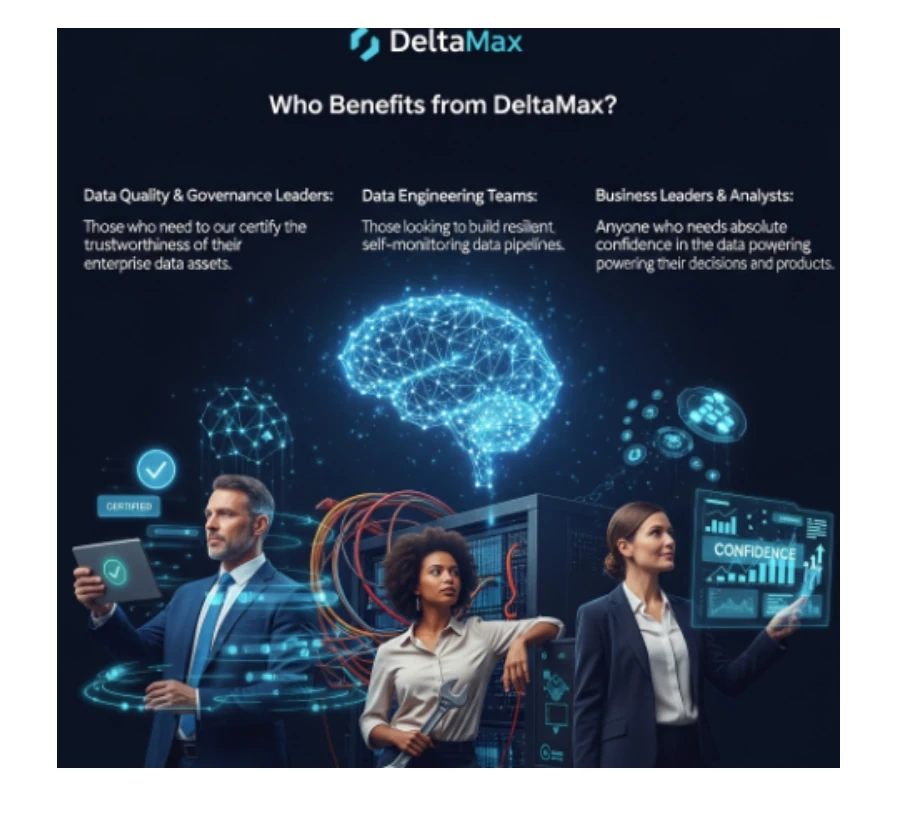
Who is it for? Data Governance Leaders · Data Engineers · Business Analysts
How DeltaMax Illuminates Your Data Quality
In today's data-driven world, the accuracy and reliability of your data are paramount. But what happens when this vital flow of information becomes a complex, unpredictable stream? Many organizations have robust checks for known problems, but the "unknown unknowns" — subtle data quality issues that slip through the cracks — can cause significant disruptions. Imagine a critical data feed that's suddenly 30% smaller than usual, yet passes all your schema checks. Or the monumental task of manually investigating millions of mismatched records after a platform migration.
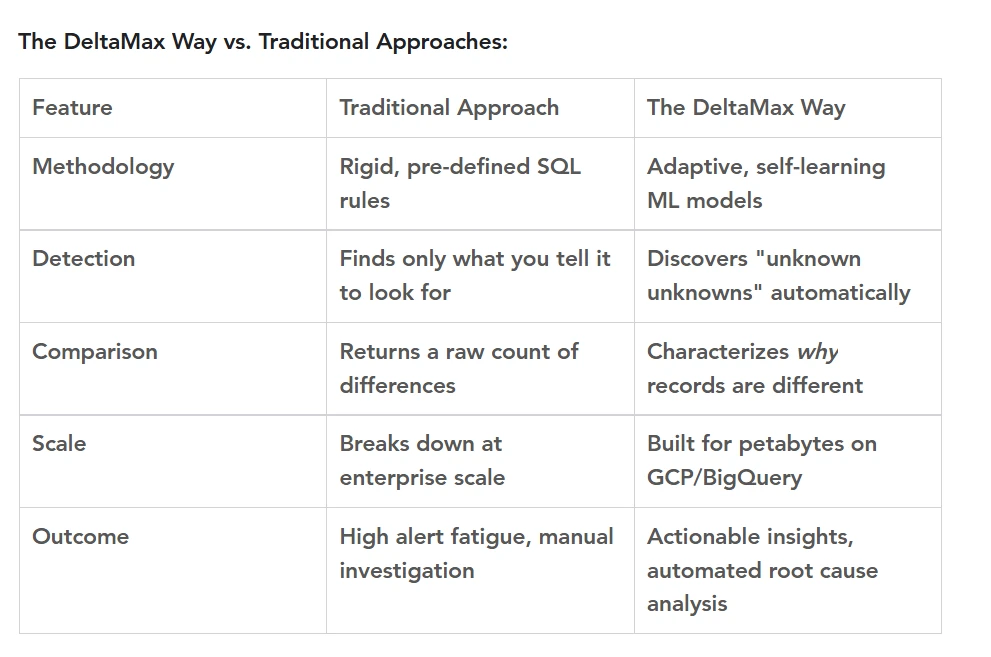
The reactive approach isn't enough. Traditional data quality tools tell you when a predefined rule has been broken — but they can't proactively flag the problems you haven't thought to look for. In an era of massive data scale, you need to anticipate, not just respond.
Enter DeltaMax: your data's intelligent co-pilot. Developed by Katalyst Street, DeltaMax is an AI-powered monitoring platform built on two core pillars of data trust:
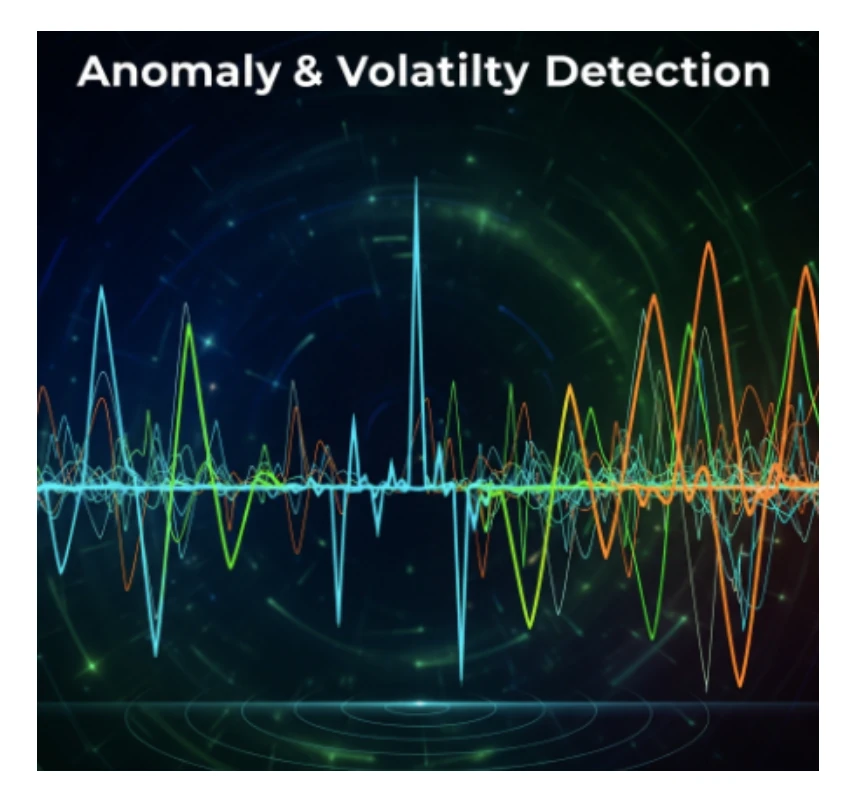
Anomaly & Volatility Detection
DeltaMax learns the unique rhythm of each data source — its typical volume, value distributions, and arrival patterns — and automatically flags meaningful deviations.
- Surface unknown unknowns with adaptive ML models
- Reduce alert fatigue by separating routine fluctuation from true anomaly
- Establish your data's rhythm across every source, every day
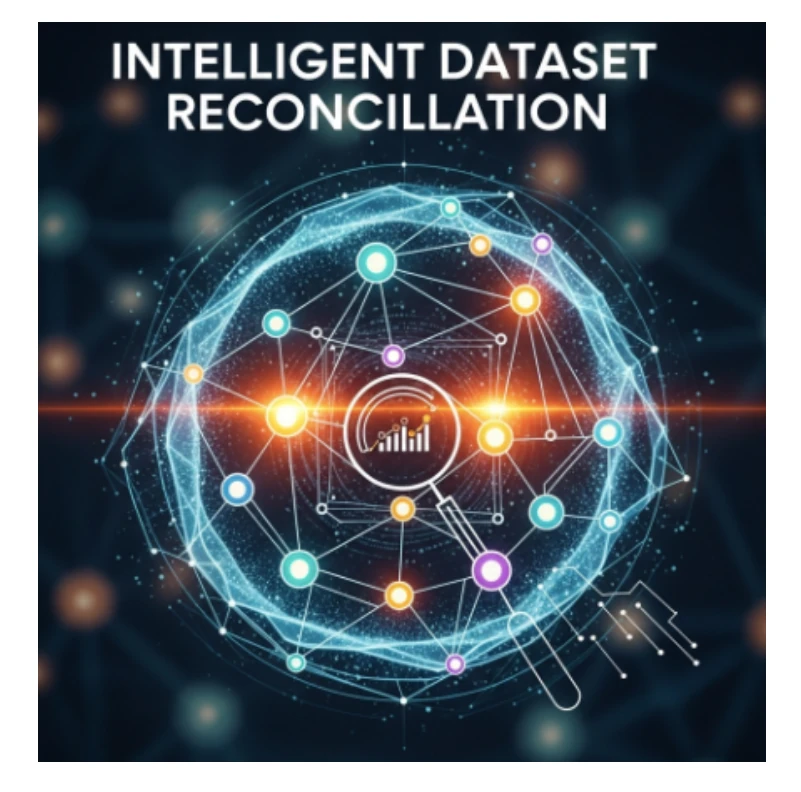
Intelligent Dataset Reconciliation
Simply comparing datasets for match/no-match is insufficient at the scale of millions or billions of records. DeltaMax adds the context.
- Automated reason codes: 'Scale Mismatch: 1000x', 'Known Transformation', 'Format Difference', 'Truncation Error'
- Drastically reduced investigation time for root cause analysis
- Confident, certified migrations from System A to System B

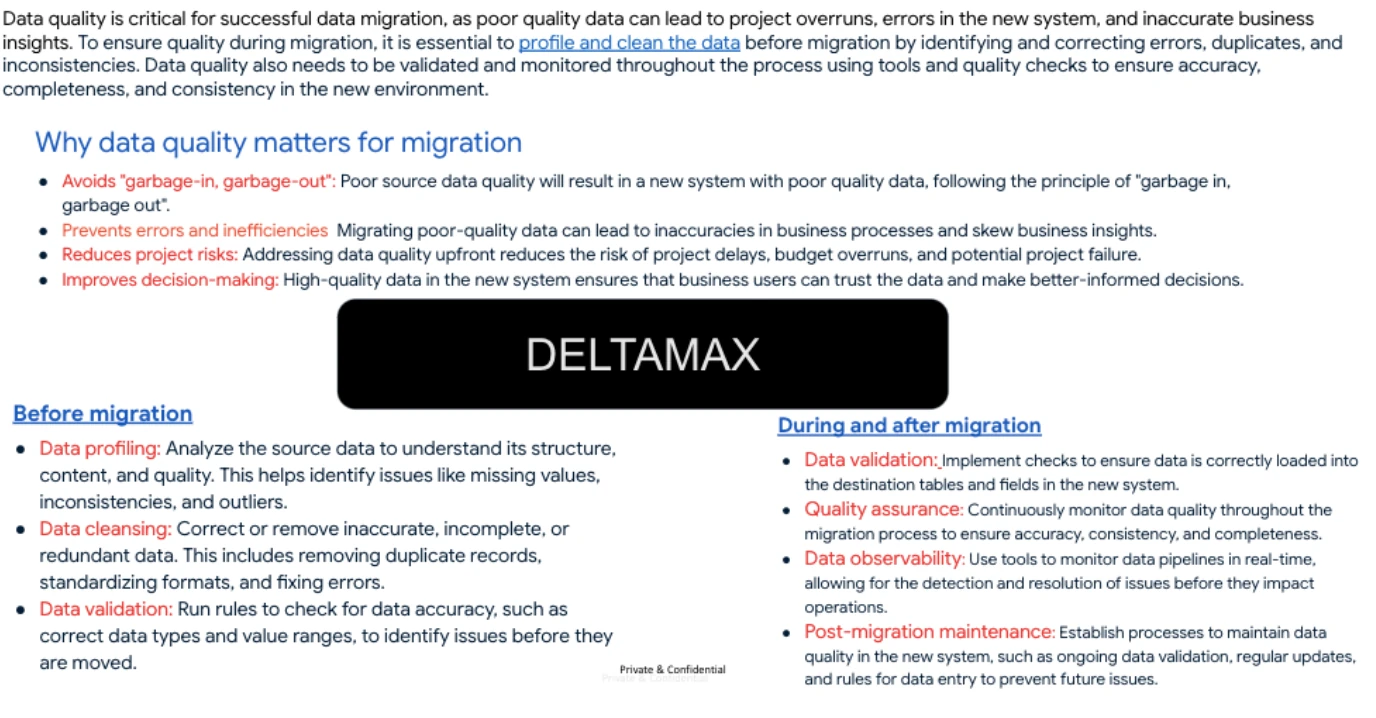
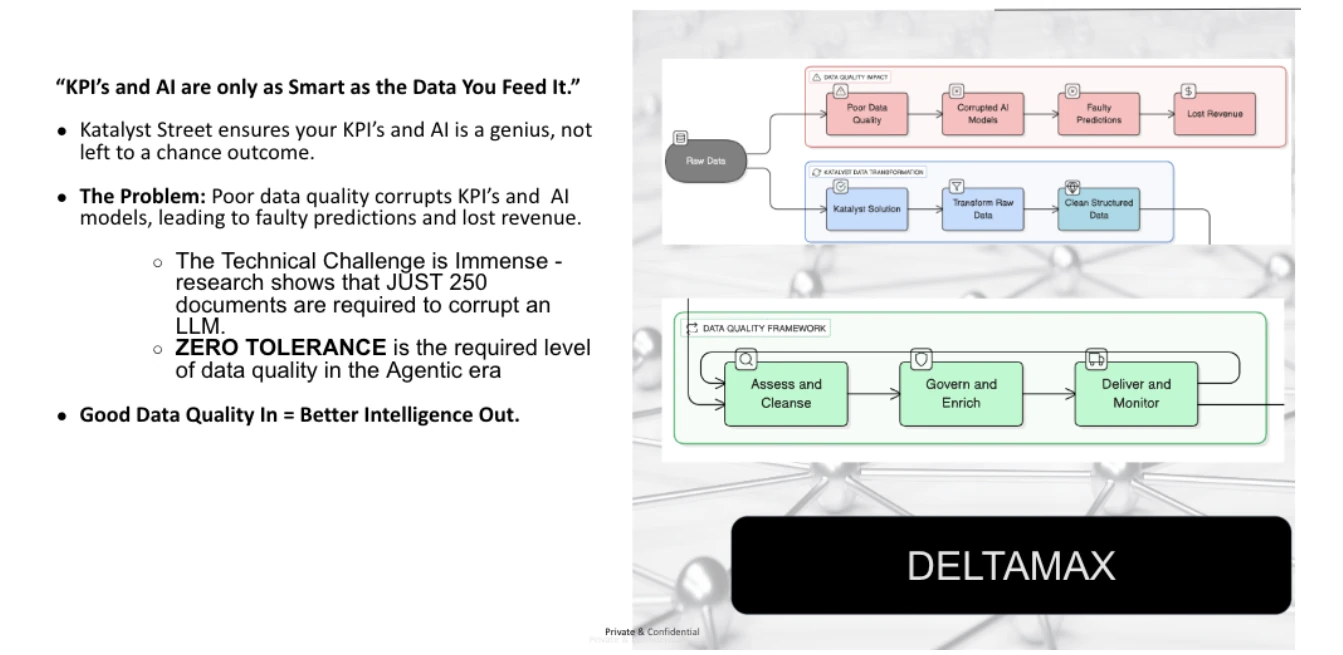
Data quality is the foundation of migration success
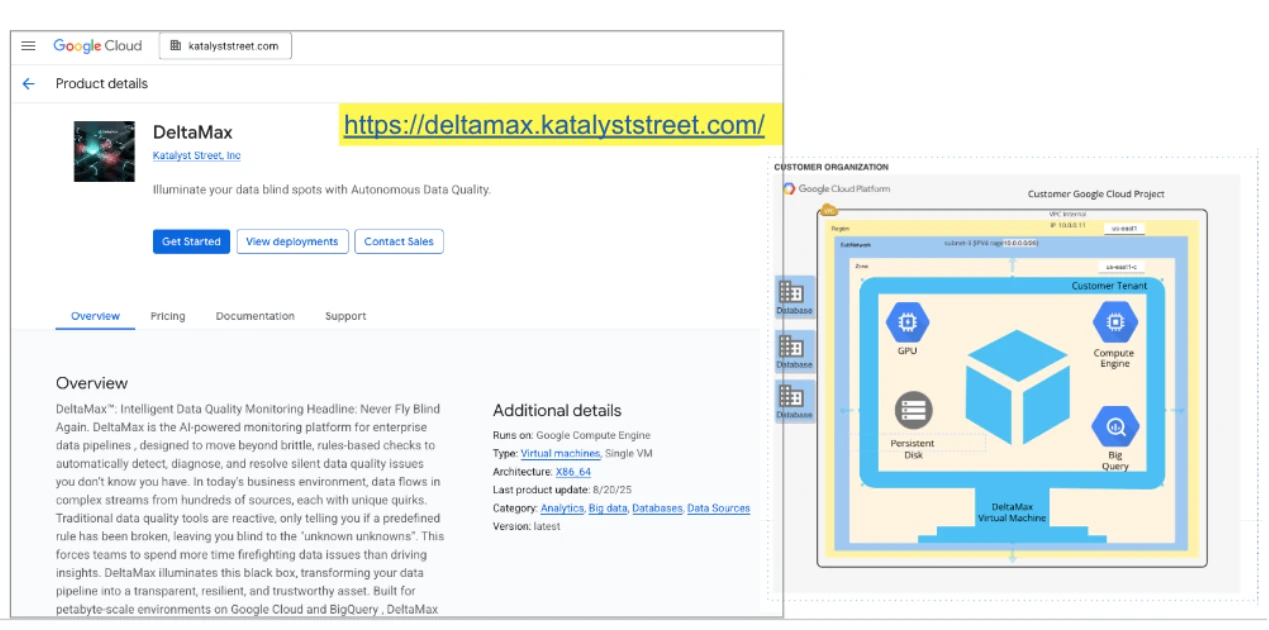
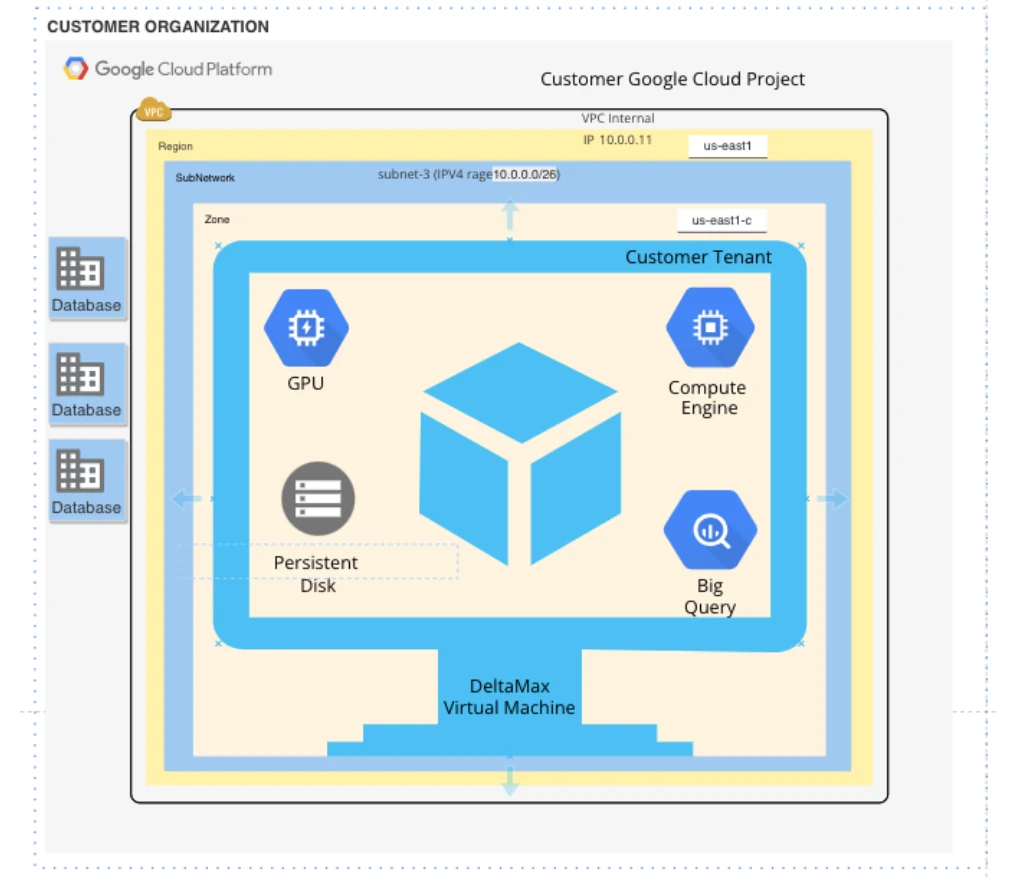
GCP Reference Architecture
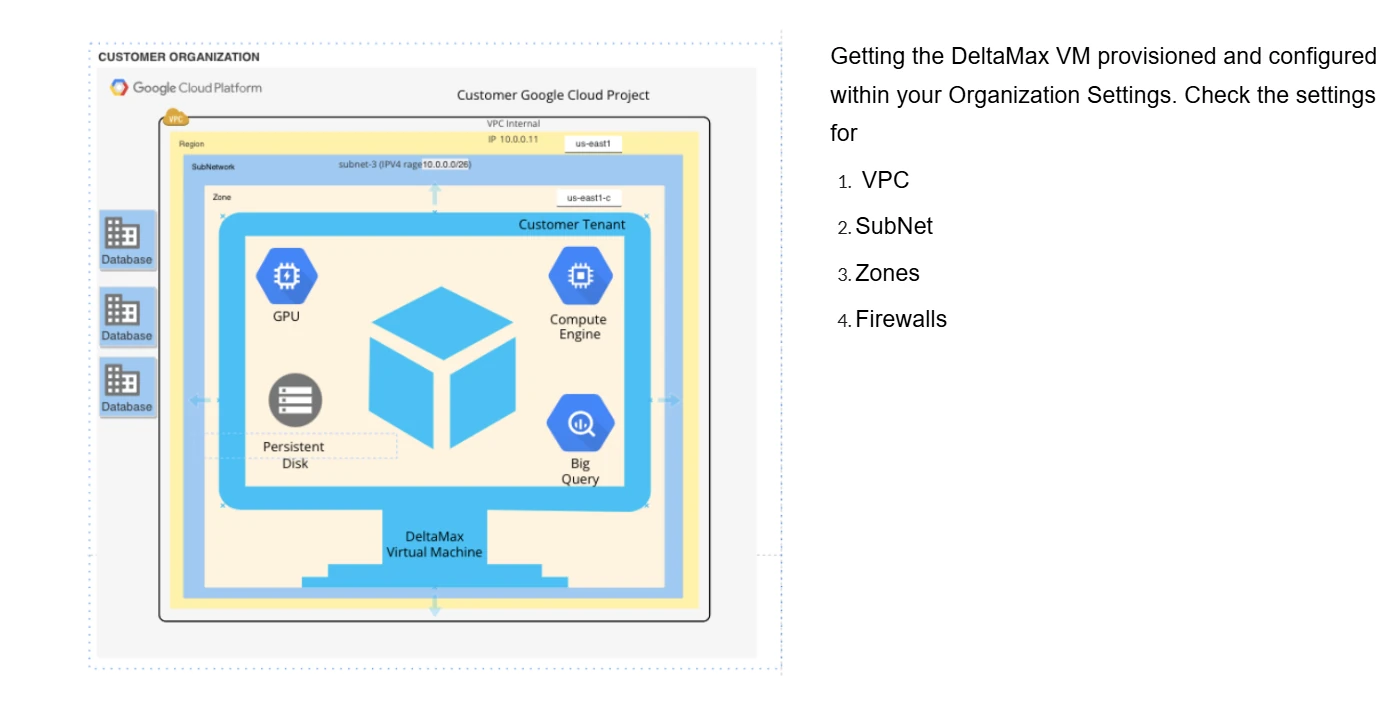
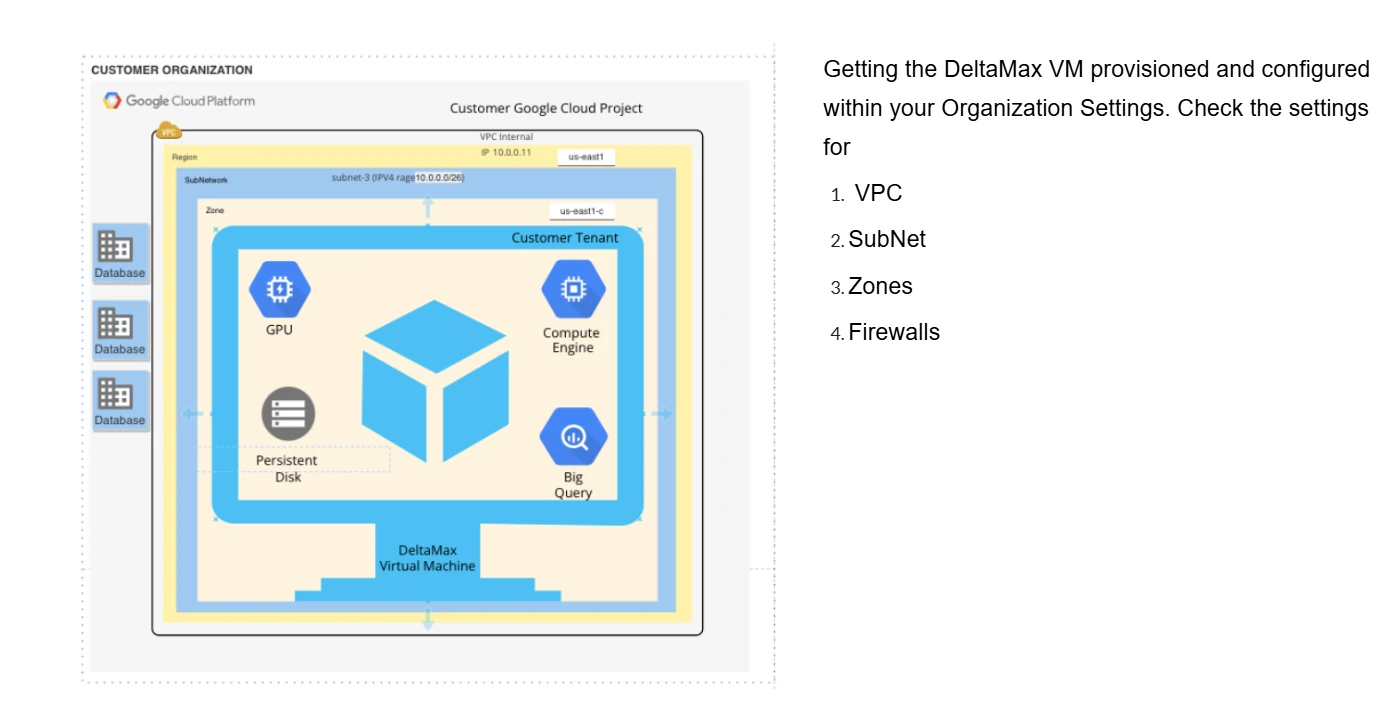
DeltaMax deploys as a virtual machine inside your own Google Cloud project — your data never leaves your security boundary. Outputs flow to Google Cloud Storage, load into BigQuery, and visualize in Looker Studio.
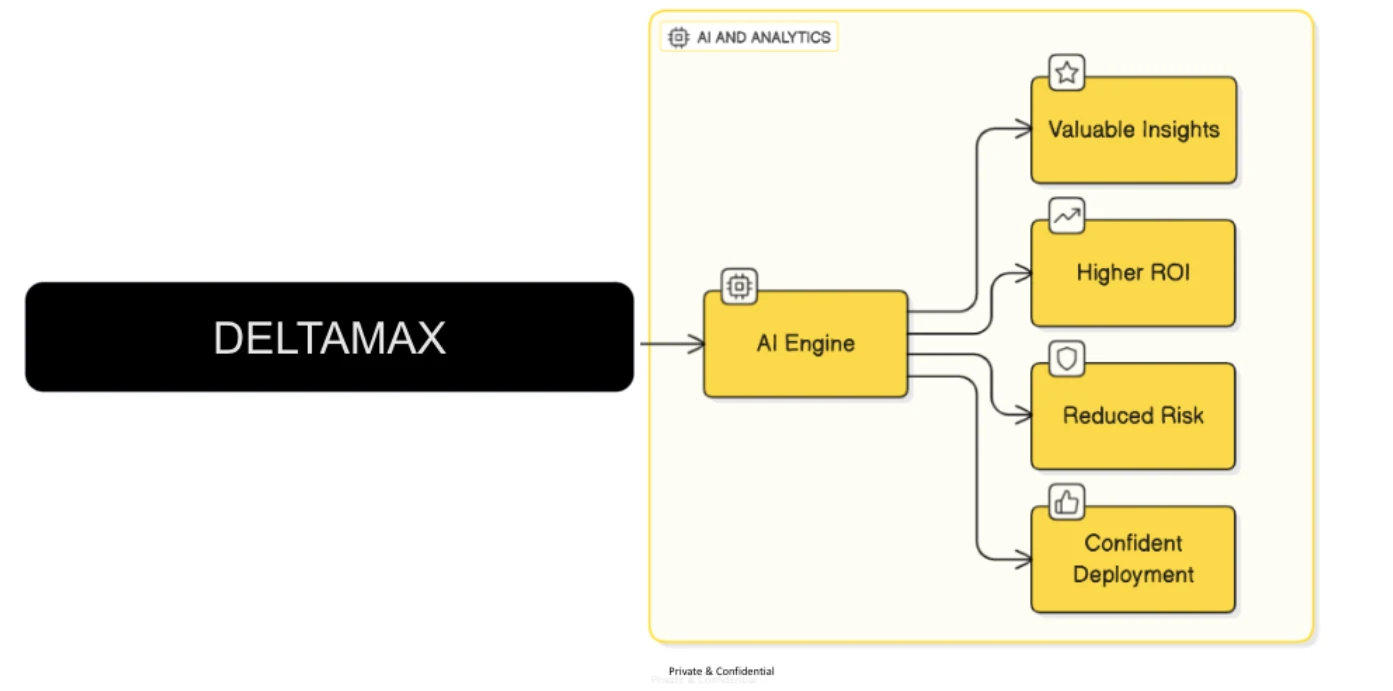
DeltaMax plays both offense and defense in the AI game
Recovery Validation — when operational data quality tools aren't enough. DeltaMax is architected for point-in-time validation: comparing a "source of truth" backup against recovered or migrated data with statistical rigor. Operational tools like Dataplex or Monte Carlo focus on ongoing pipeline observability — a different job.
| Feature / Aspect | DeltaMax (Recovery Focus) | Typical Operational DQ Tools |
|---|---|---|
| Primary Use Case | One-time / periodic validation between a "known good" state and the current state | Continuous real-time monitoring of production ETL/ELT pipelines |
| Deployment Model | Single VM in your Google Cloud project — isolated, standalone | SaaS agents, serverless functions, or native services (Dataplex) |
| Workflow | Generate data → run discrete checks (T-tests, PSI, anomaly detection) → GCS → BigQuery → visualize | Automated policies on schedule; alerts to Slack / PagerDuty |
| Key Techniques | T-tests & PSI, anomaly detection (IQR & Isolation Forest), schema & type mismatch detection | Freshness/volume monitoring, schema drift, custom SQL rules |
| Target User | Data Engineers & CDOs conducting audits or recovery integrity checks | Data platform owners guarding day-to-day pipeline health |
The recovery validation workflow
- Source of truth — a known good backup, e.g. last month's validated dataset.
- Recovery result — the recovered dataset (current month with potential anomalies).
- DeltaMax validation engine — T-tests & PSI detect statistical shifts; IQR & Isolation Forest identify outliers; schema & type checks ensure structural integrity; executive summary reports deliver leadership-friendly audit artifacts.
Bottom line: DeltaMax offers a structured, auditable, statistically rigorous framework for recovery validation. For daily pipeline health, complement it with Dataplex, Monte Carlo, or other observability platforms.
Data Quality & Anomaly Detection: DeltaMax vs. the Field
An AI-assisted analysis of DeltaMax (Katalyst Street) against Databricks Unity Catalog, Fivetran + Monte Carlo, Snowflake ML Functions, and Informatica IDMC — 20+ feature dimensions across detection, reconciliation, deployment, governance, and pricing.
Overall verdict: DeltaMax is the purpose-built specialist for GCP data-migration quality assurance — scoring 42/50, ten points ahead of the nearest competitor for GCP migration quality. It is the only platform in the comparison that treats cross-dataset reconciliation, statistical drift detection, and migration certification as first-class, out-of-box capabilities.
DeltaMax — unique strengths for GCP migrations
- Intelligent mismatch reason codes — every discrepancy auto-classified (Scale Mismatch 1000x, Truncation Error, Format Difference); investigation drops from weeks to hours
- Migration certification at petabyte scale — compares source dataset A against migrated dataset B and produces a certifiable migration report on BigQuery's parallel engine
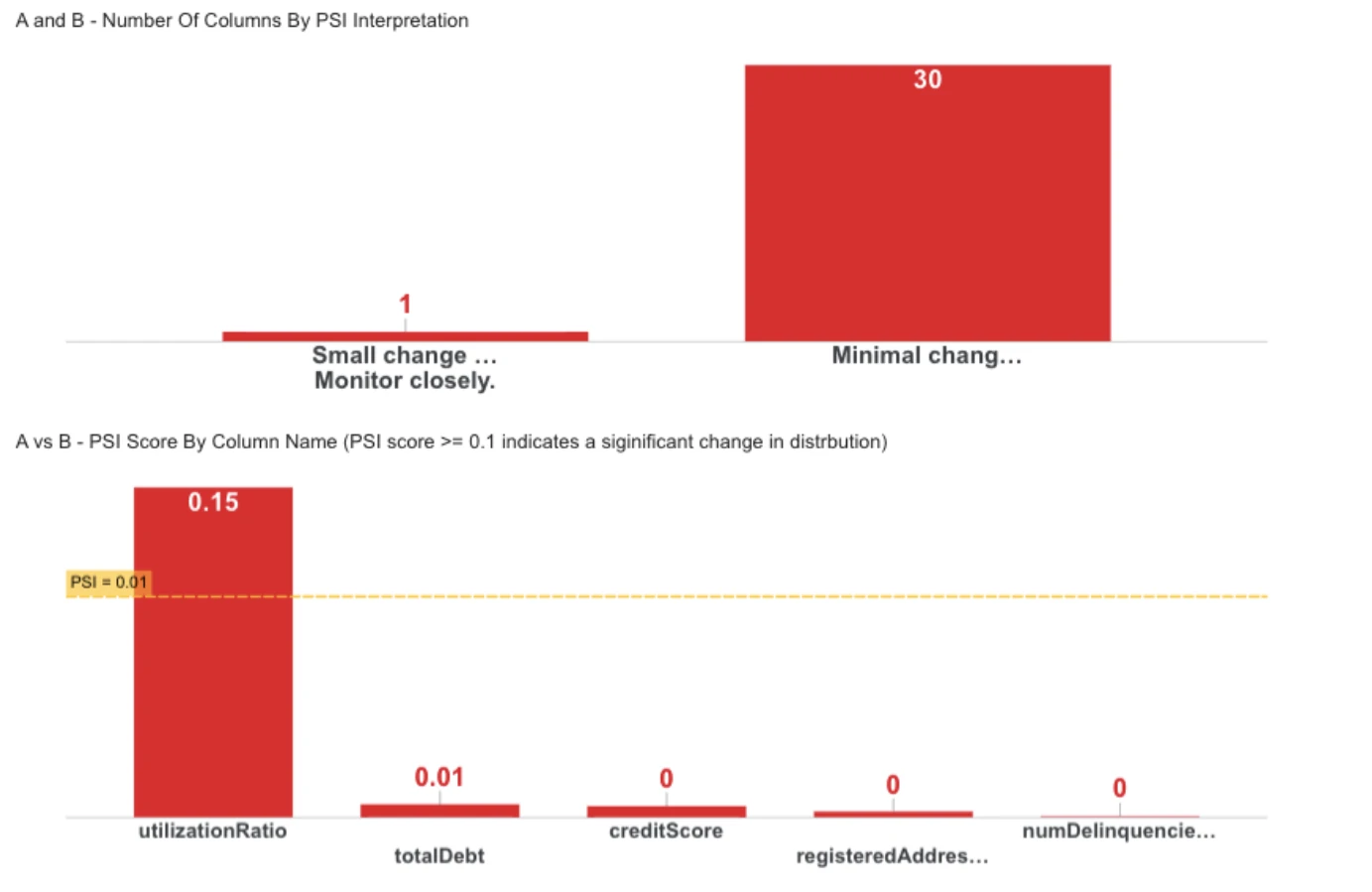
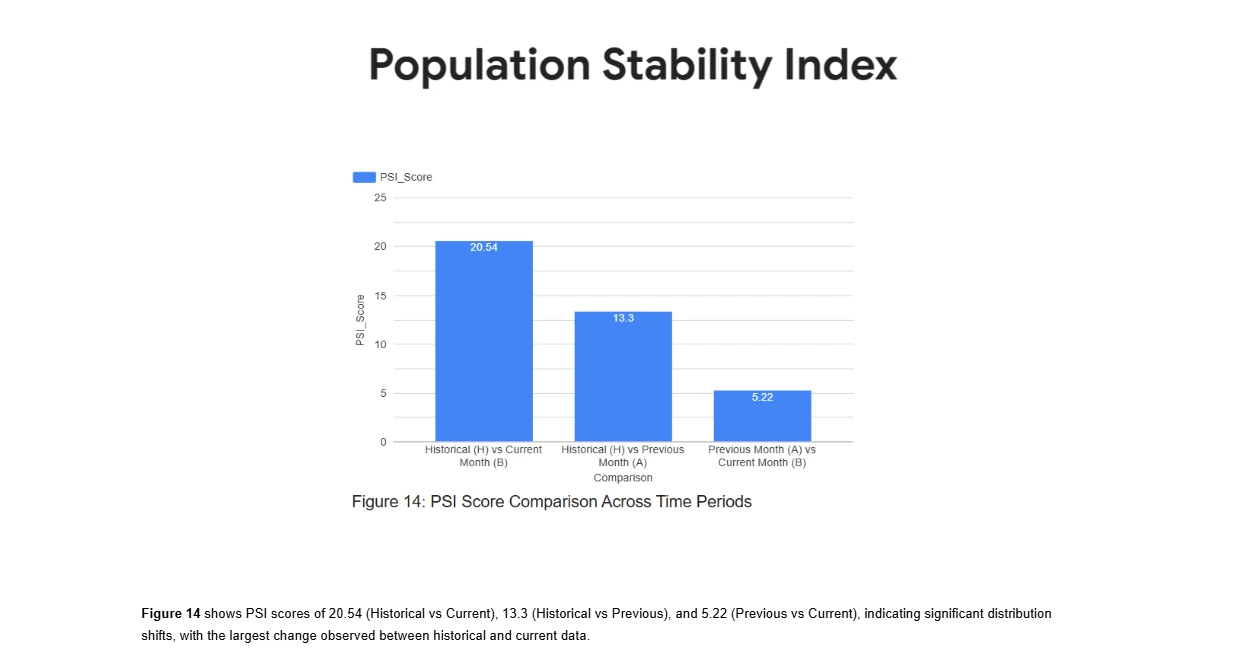
- PSI + T-tests — quantify post-migration distribution shifts column-by-column; PSI > 0.2 triggers automatic investigation
- Data never leaves your GCP project — VM-in-your-project deployment keeps validation inside your security boundary
- Synthetic data generator with anomaly injection — test the entire validation pipeline before production data is ready
- GCP Marketplace deployment — billed through your existing GCP account; integrates natively with BigQuery, GCS, and Looker Studio
How competitors stack up
Monte Carlo
Strong observability platform but no cross-dataset reconciliation or migration certification. Excels at ongoing monitoring post-migration, not pre-go-live validation.
Post-migration monitoring · Not migration validationDatabricks
No cross-dataset reconciliation whatsoever. If you're migrating into BigQuery, Databricks anomaly detection is the wrong tool — Unity Catalog is powerful but platform-locked.
Wrong platform · No BigQuery native · No migration validationSnowflake ML
Time-series anomaly detection only — cannot compare two datasets from a migration event. Relevant only if your target warehouse is Snowflake, not BigQuery.
Time-series only · Snowflake-locked · No migration use caseInformatica IDMC
Full enterprise governance suite with migration workflow support — but at $50K–$200K+/year with months-long implementation. DeltaMax delivers ~80% of the validation capability at a fraction of the cost.
Viable but expensive · 3–6 month setup · Heavy overheadFivetran + Monte Carlo
Fivetran moves data; Monte Carlo monitors pipelines. Neither validates the integrity of migrated data or certifies that source equals target at the record level.
Ingestion + monitoring · Not a migration validatorBottom line for GCP migration projects: DeltaMax is the only tool in the comparison providing a complete, out-of-box migration QA workflow — synthetic test data → pre-migration baseline → record-level reconciliation with reason codes → PSI/T-test distribution validation → Looker Studio certification dashboard. Read the full report on the live intelligence report page ↗
From Marketplace to Looker Studio, step by step
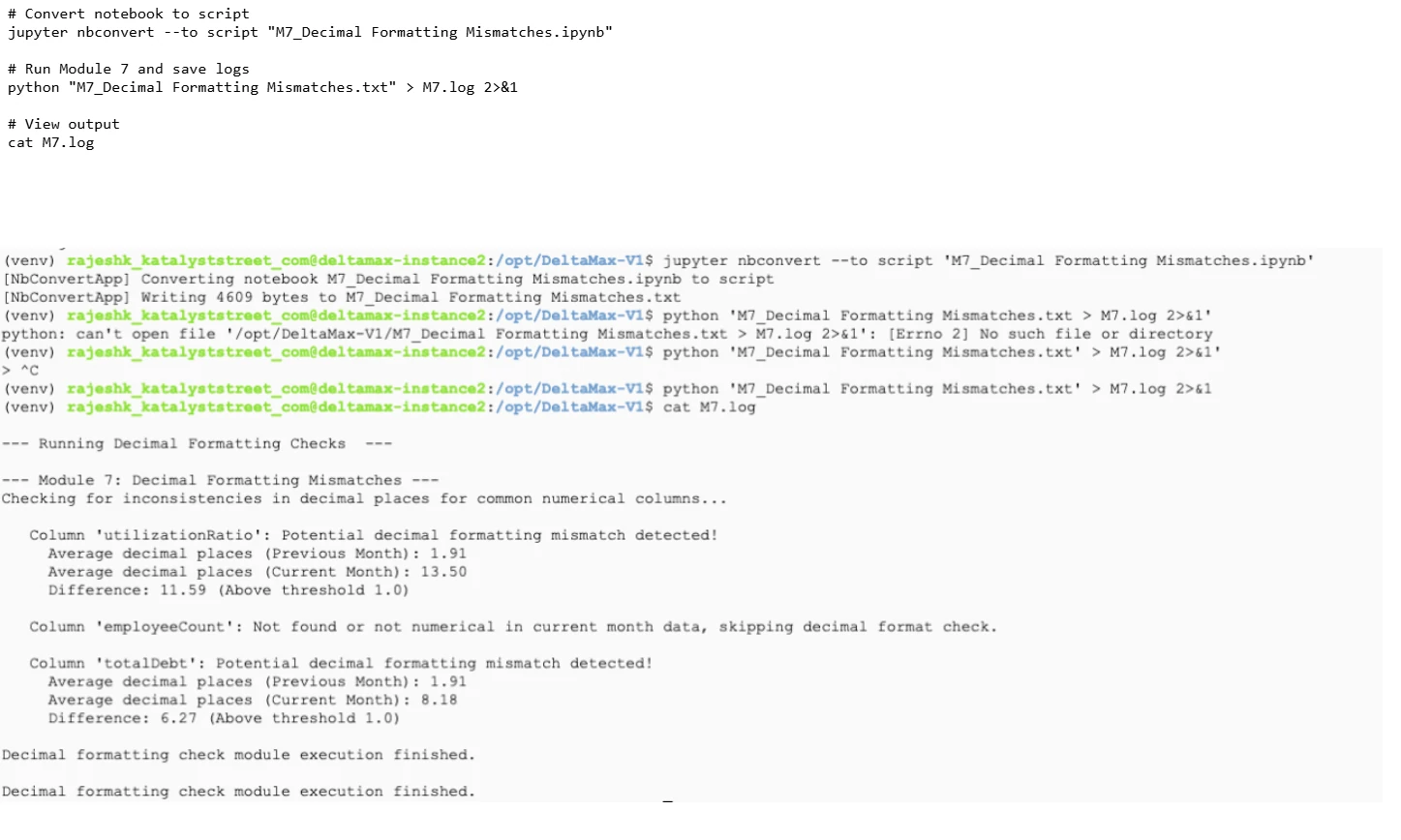
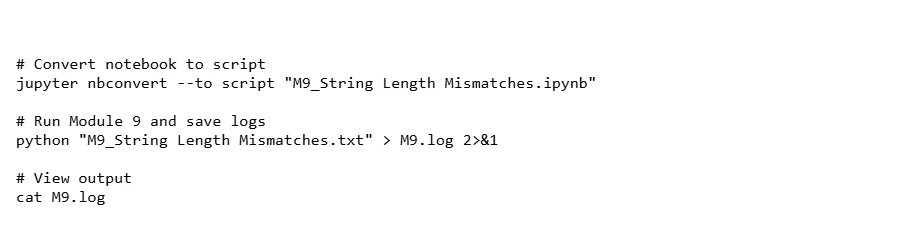
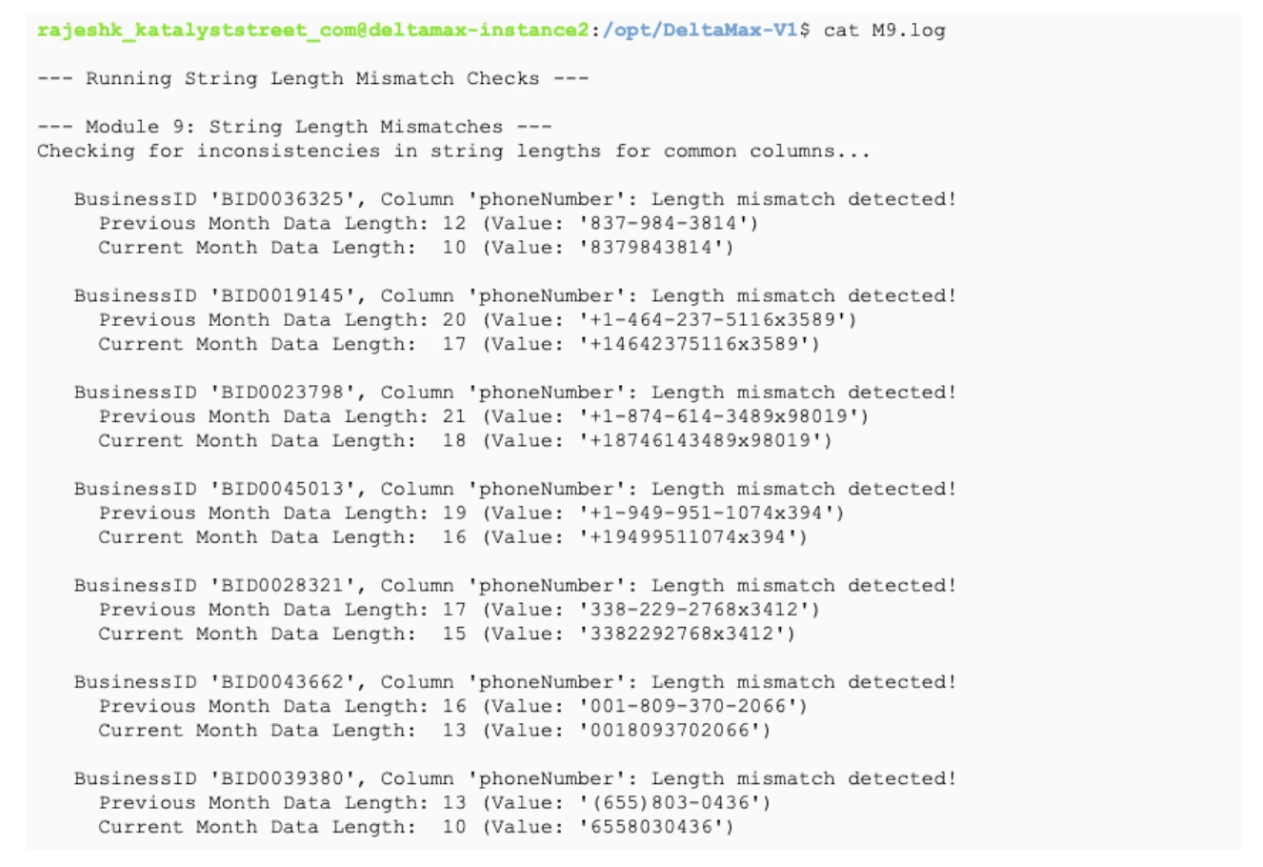
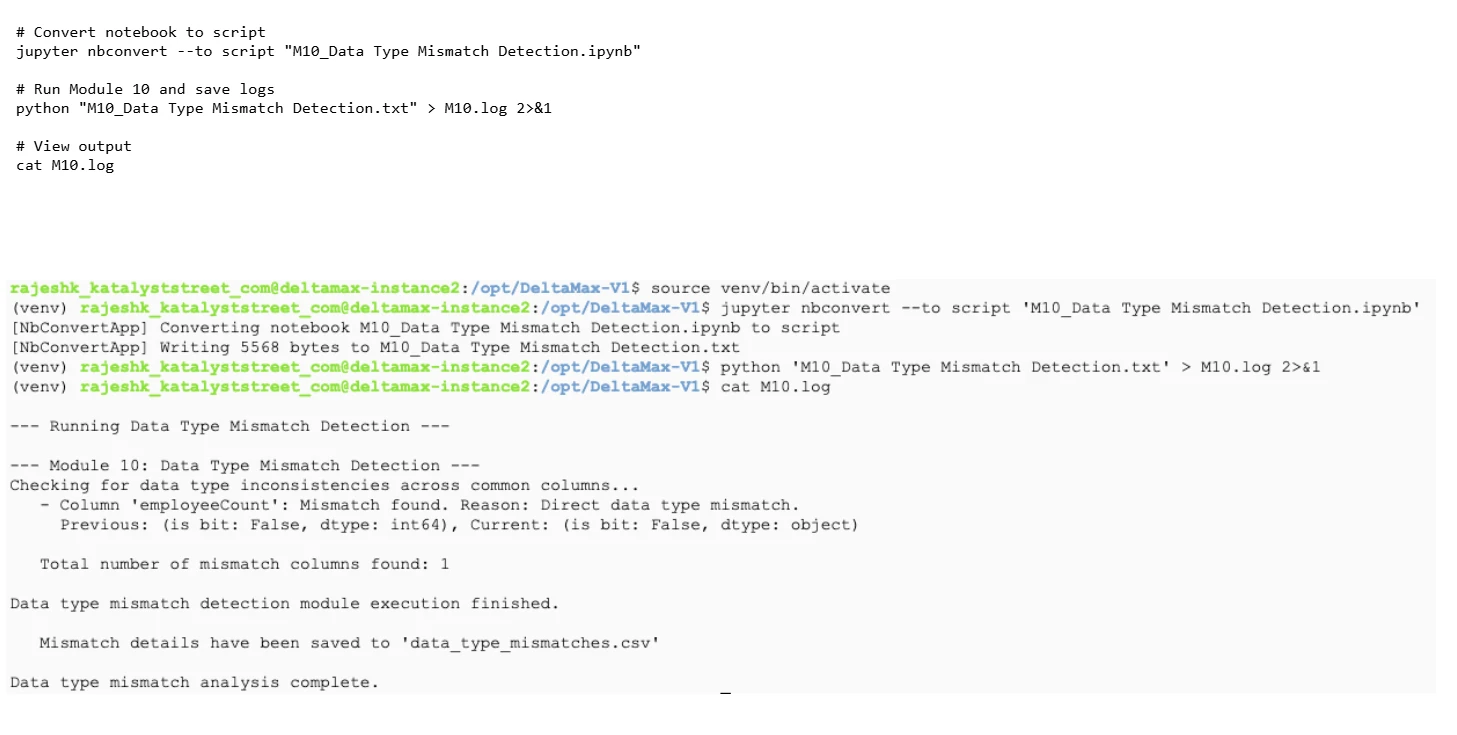
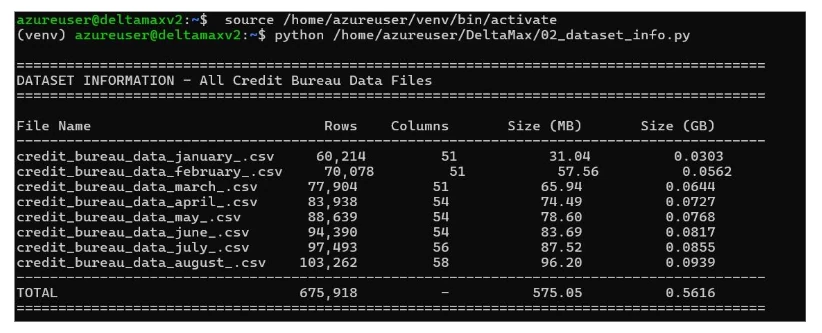
This guide walks through the complete DeltaMax workflow — generating synthetic credit-bureau data, running data quality checks (anomaly detection, T-test, PSI, mismatches), uploading outputs to Google Cloud Storage, and loading them into BigQuery for reporting and visualization in Looker Studio. It is organized into three main phases:
- Deploy — search for DeltaMax on Google Cloud Marketplace, create a project on your corporate billing account, deploy the DeltaMax virtual machine, and prepare Python on the VM.
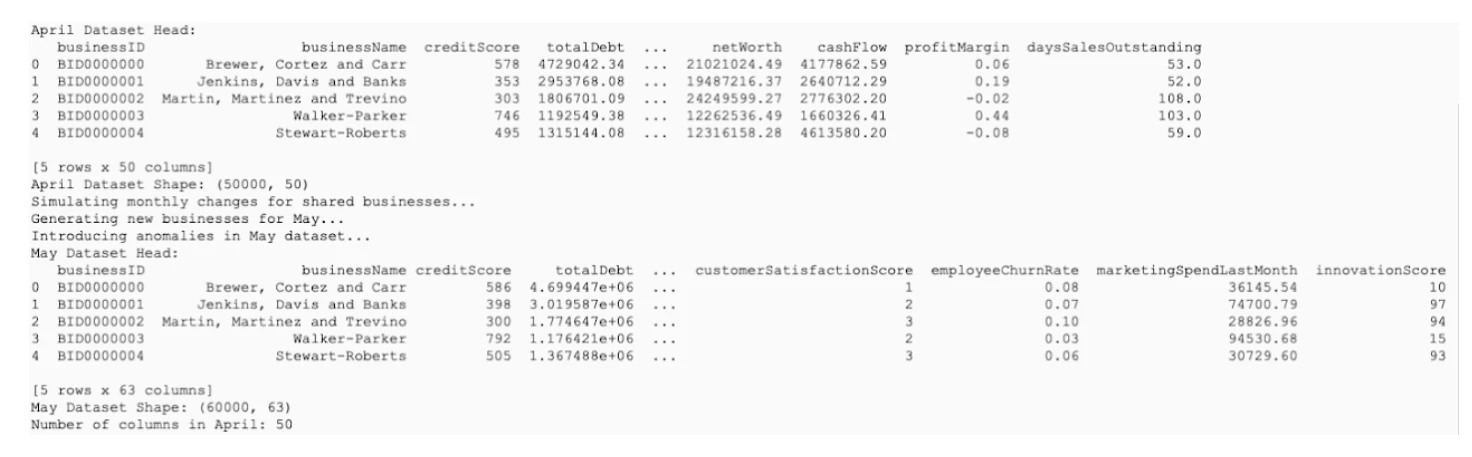
- Data generation — run
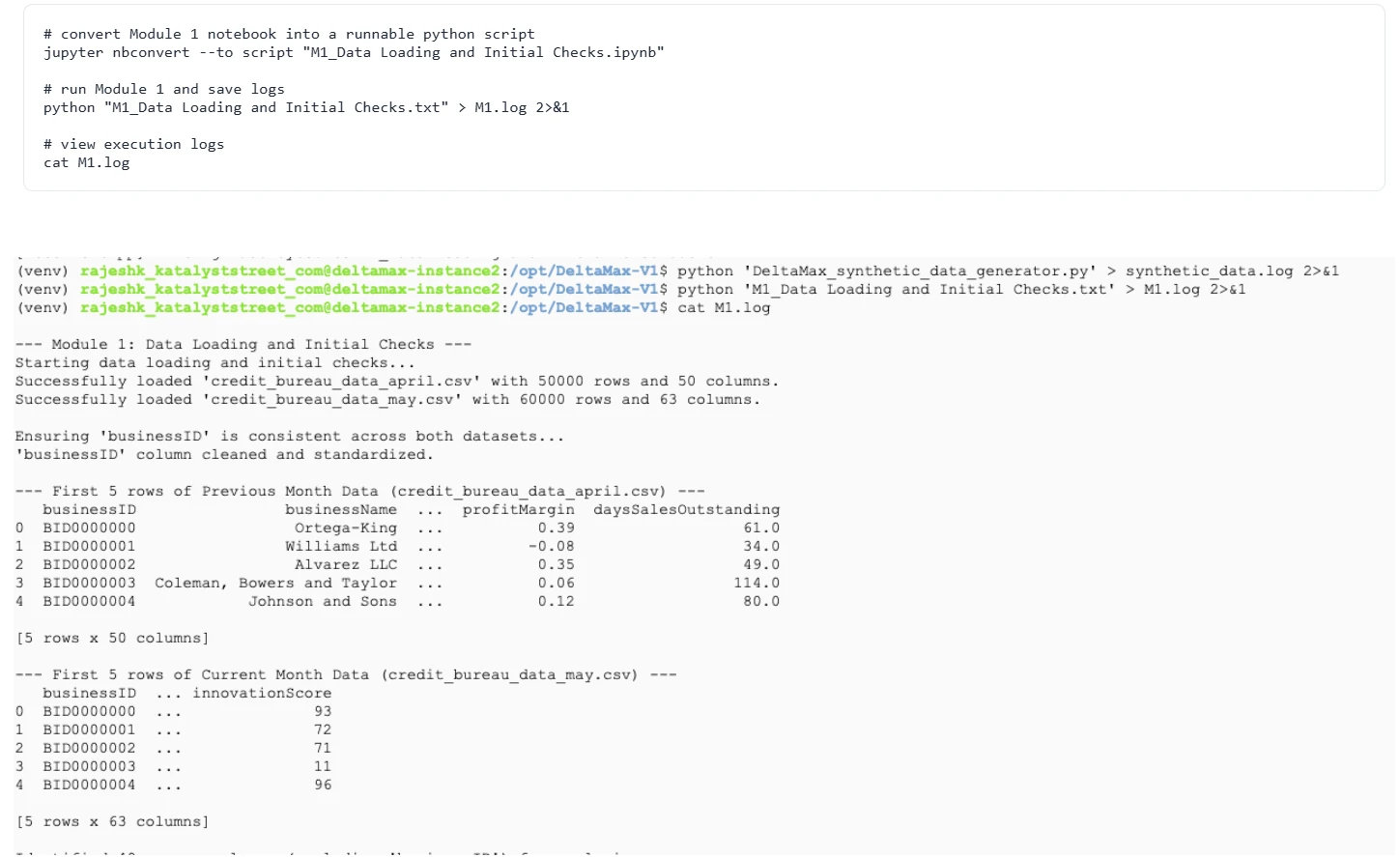
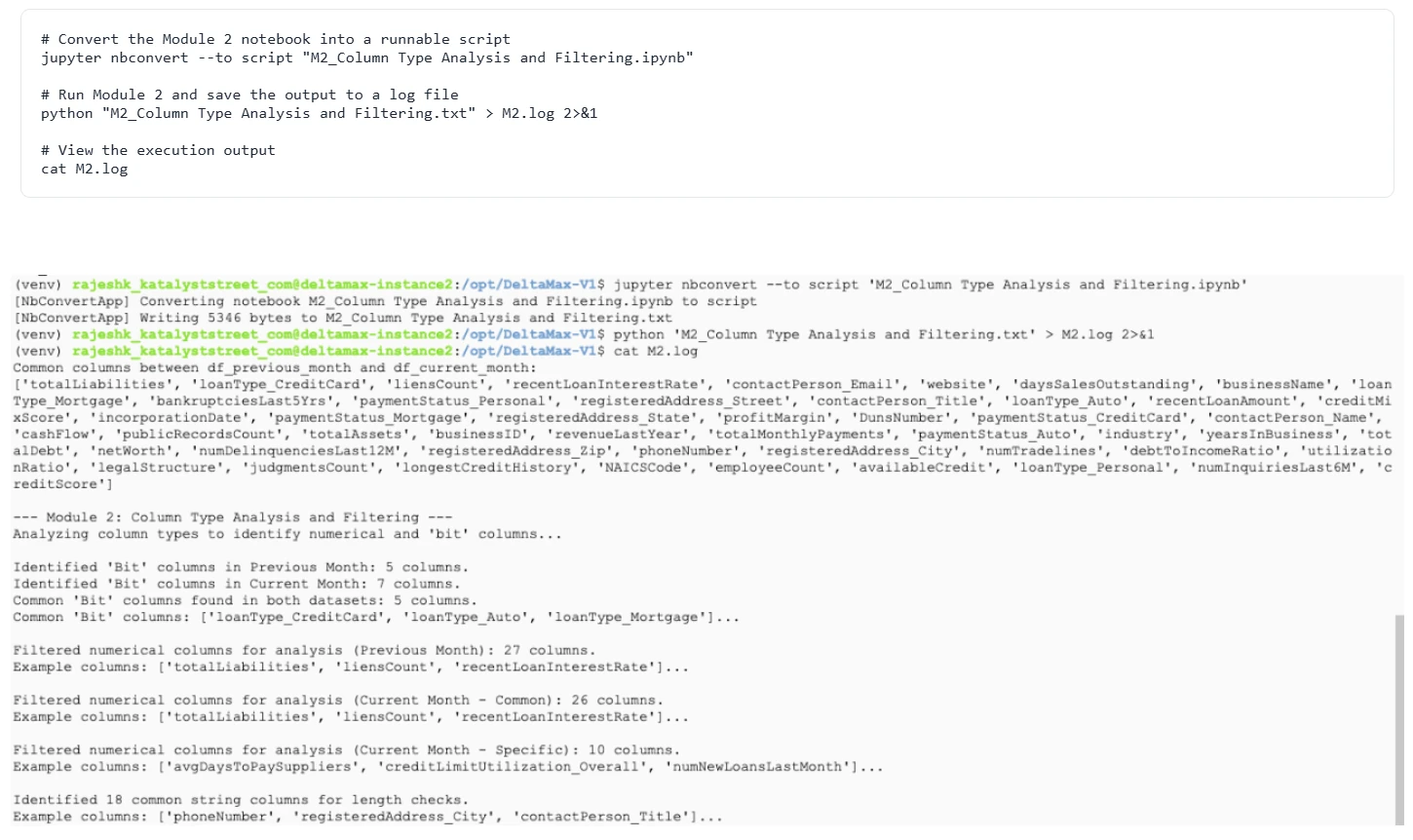
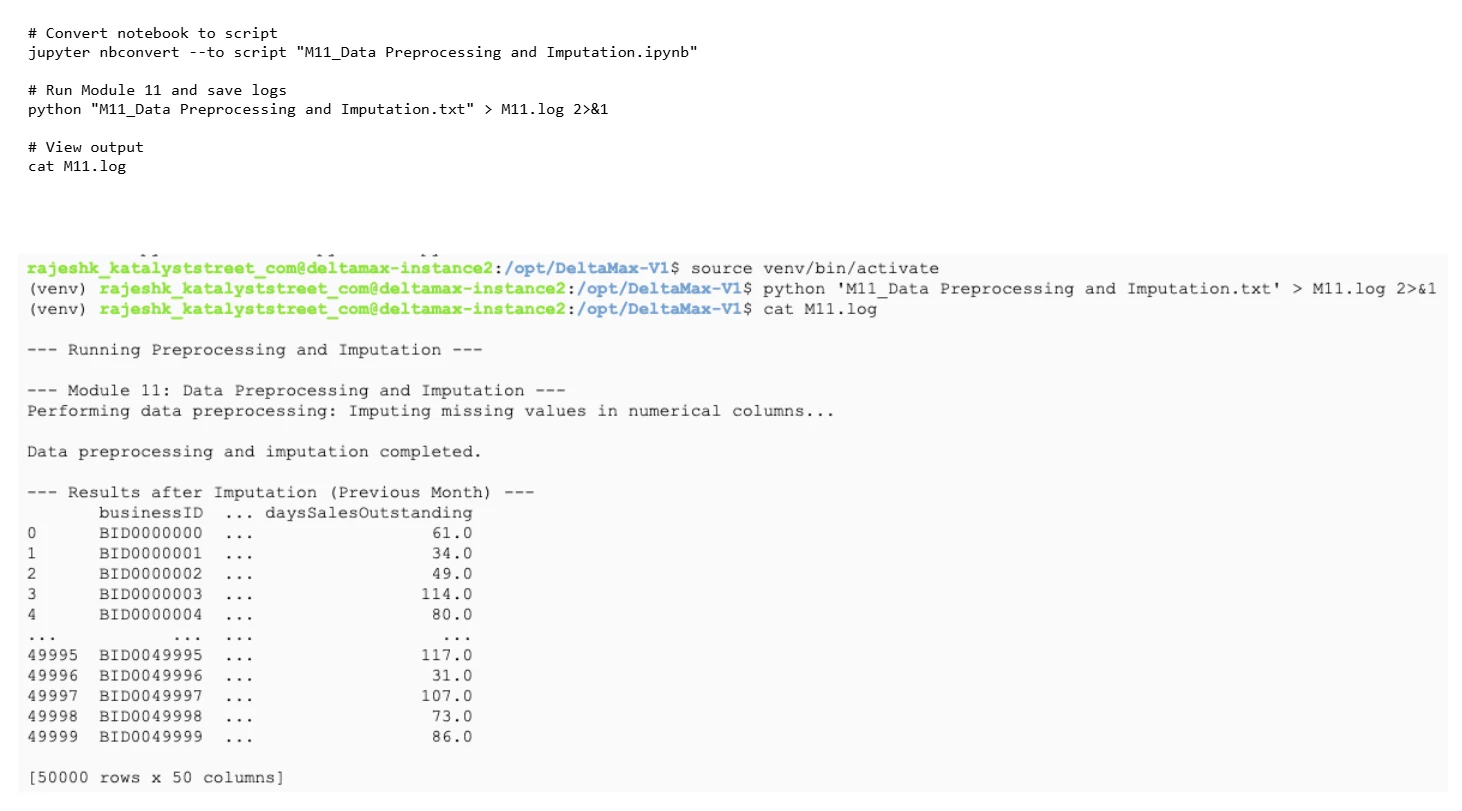
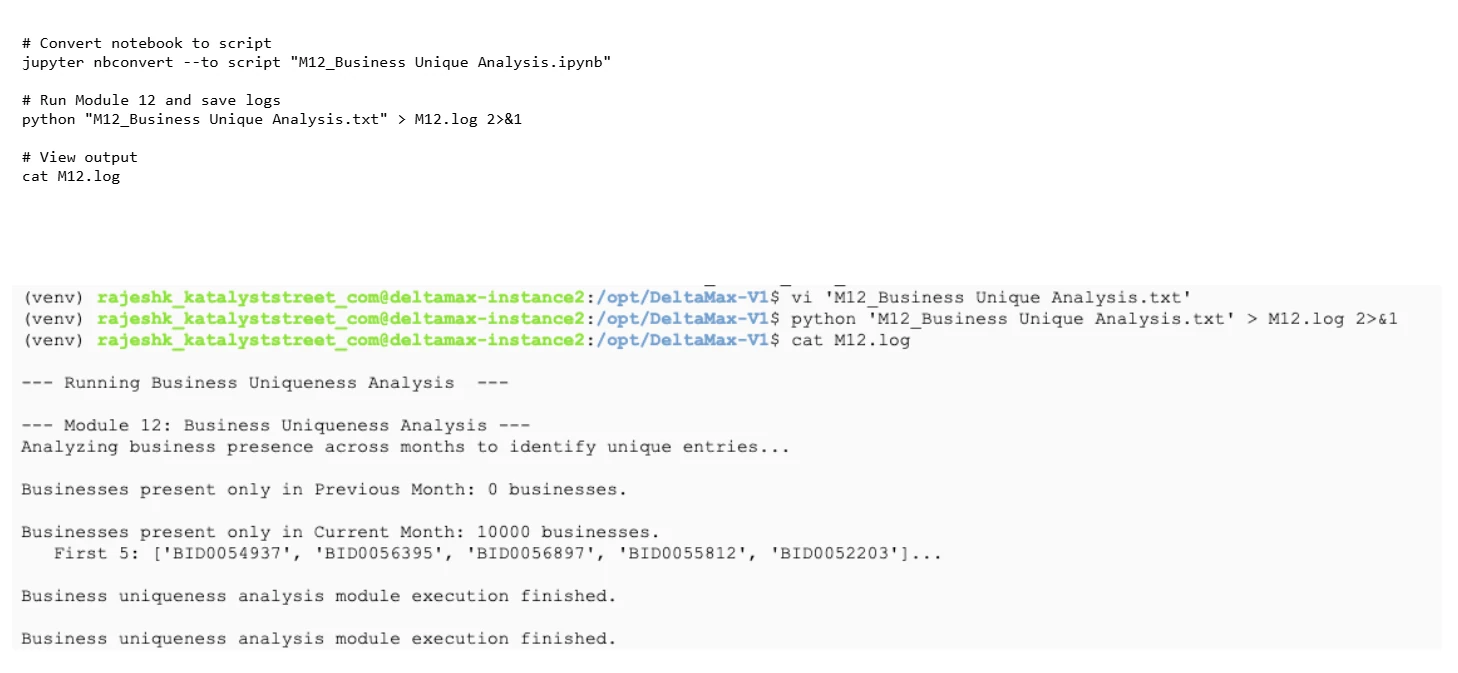
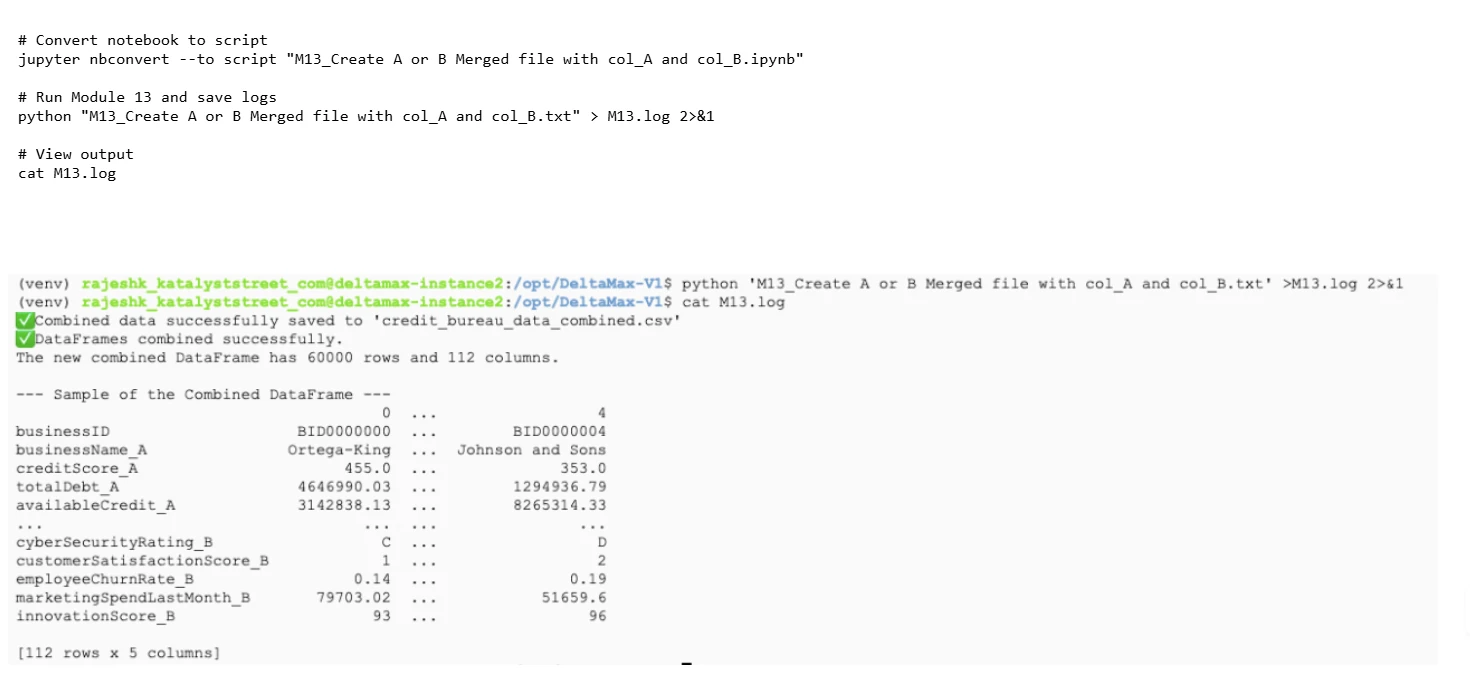
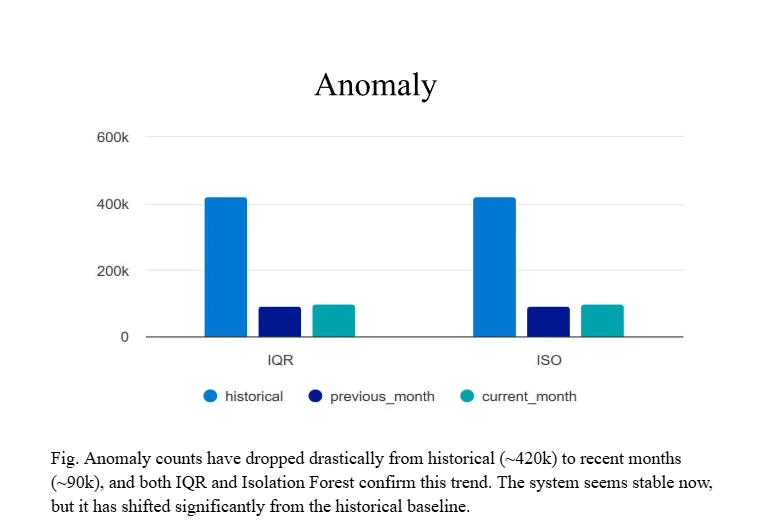
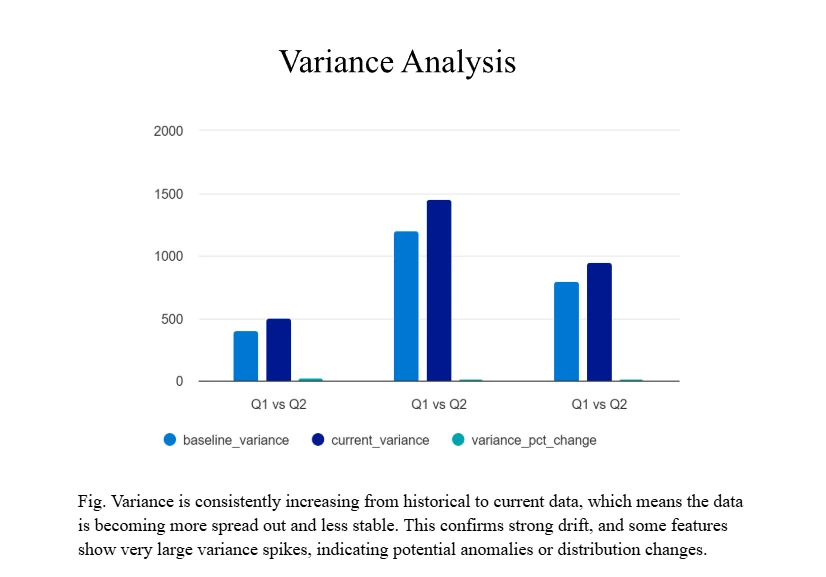
DeltaMax_synthetic_data_generator.pyto produce previous-month and current-month datasets, with anomalies intentionally injected into the current month for training and validation. - Data quality checks (modules M1–M13) — M1 data loading & initial checks · M2 column type analysis · M3 anomaly detection (IQR + Isolation Forest) · M4 variance analysis · M5 inter-file T-tests · M6 PSI · M7 decimal formatting mismatches · M9 string length mismatches · M10 data type mismatch detection · M11 preprocessing & imputation · M12 business uniqueness analysis · M13 A/B merged file creation.
- Cloud integration — create a GCS bucket (
gcloud storage buckets create), upload the CSV outputs, create a BigQuery dataset (bq mk), load tables (bq load), and run the provided anomaly-analysis SQL. - Visualize — connect the BigQuery tables to Looker Studio for dashboards, or engage Katalyst Street professional services for custom visualizations and reports.
V1.0 walkthrough, screen by screen




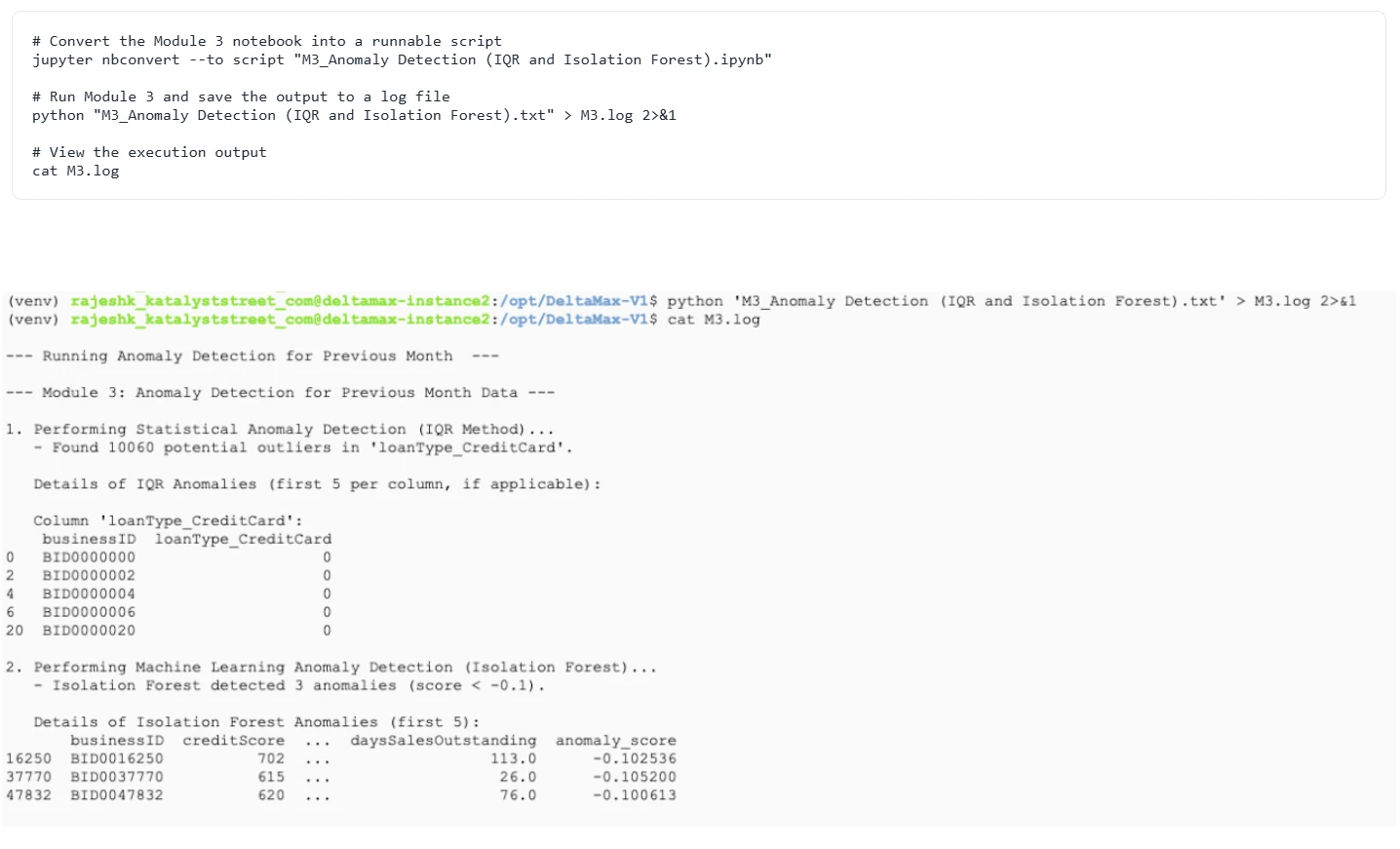

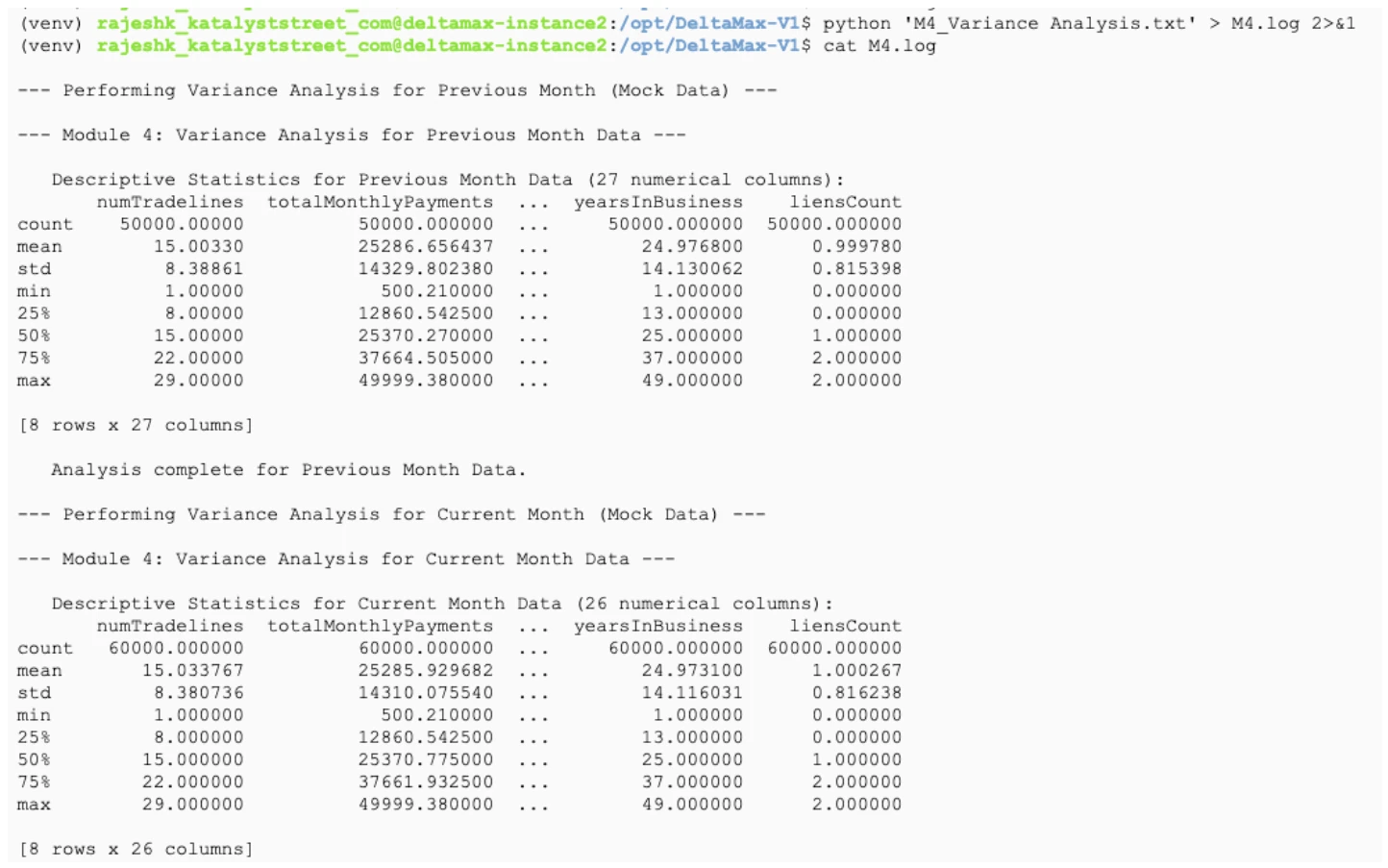
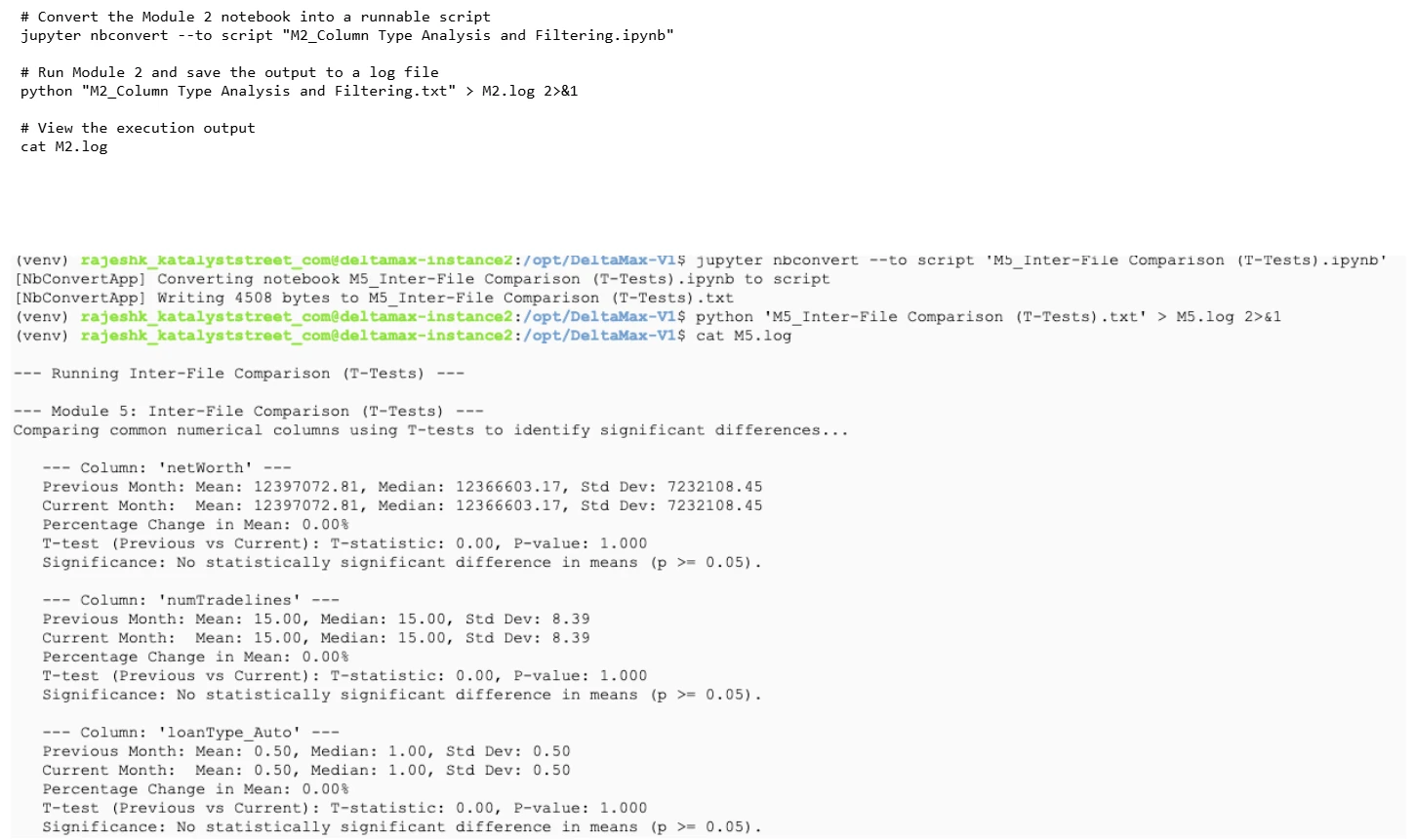
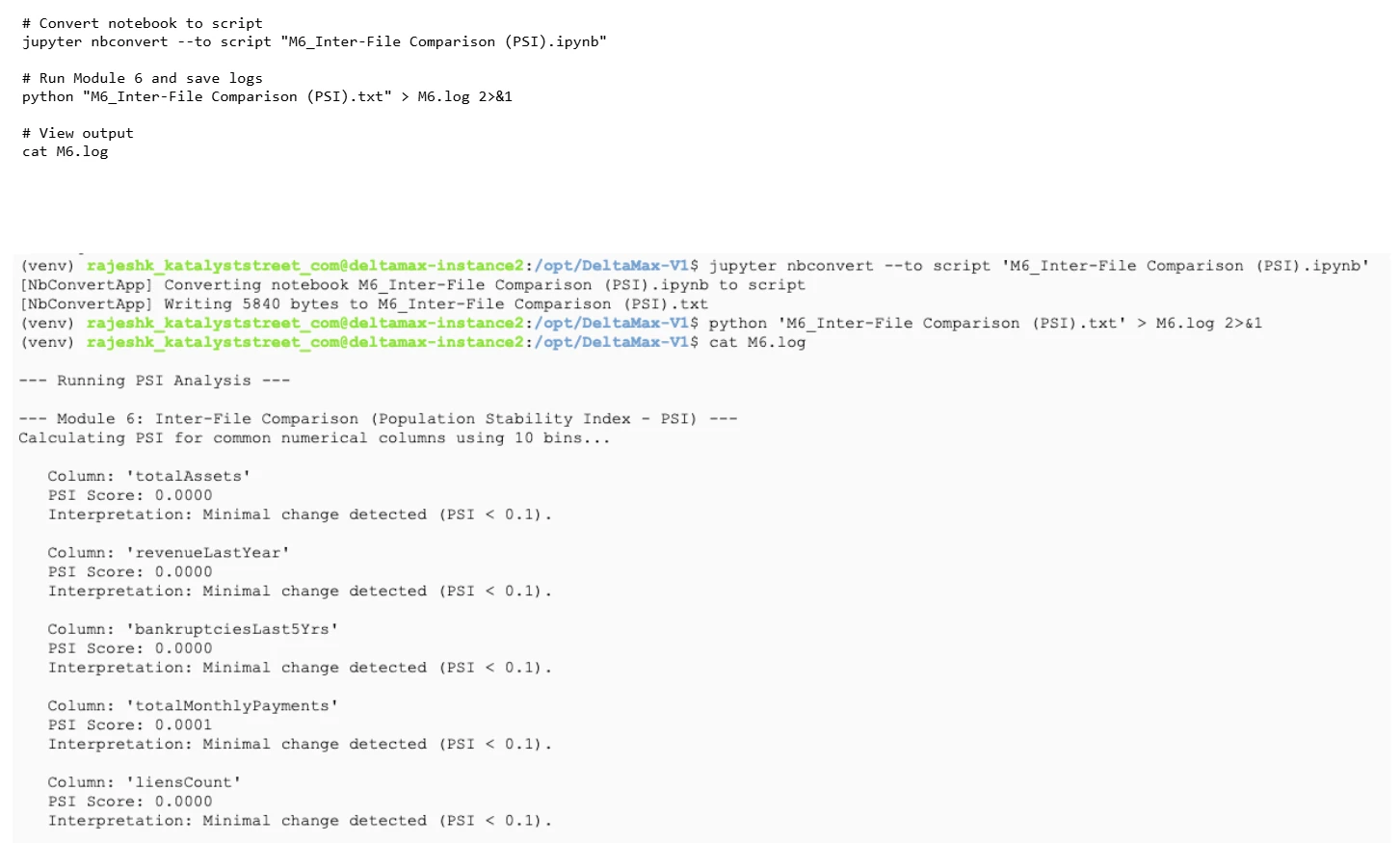
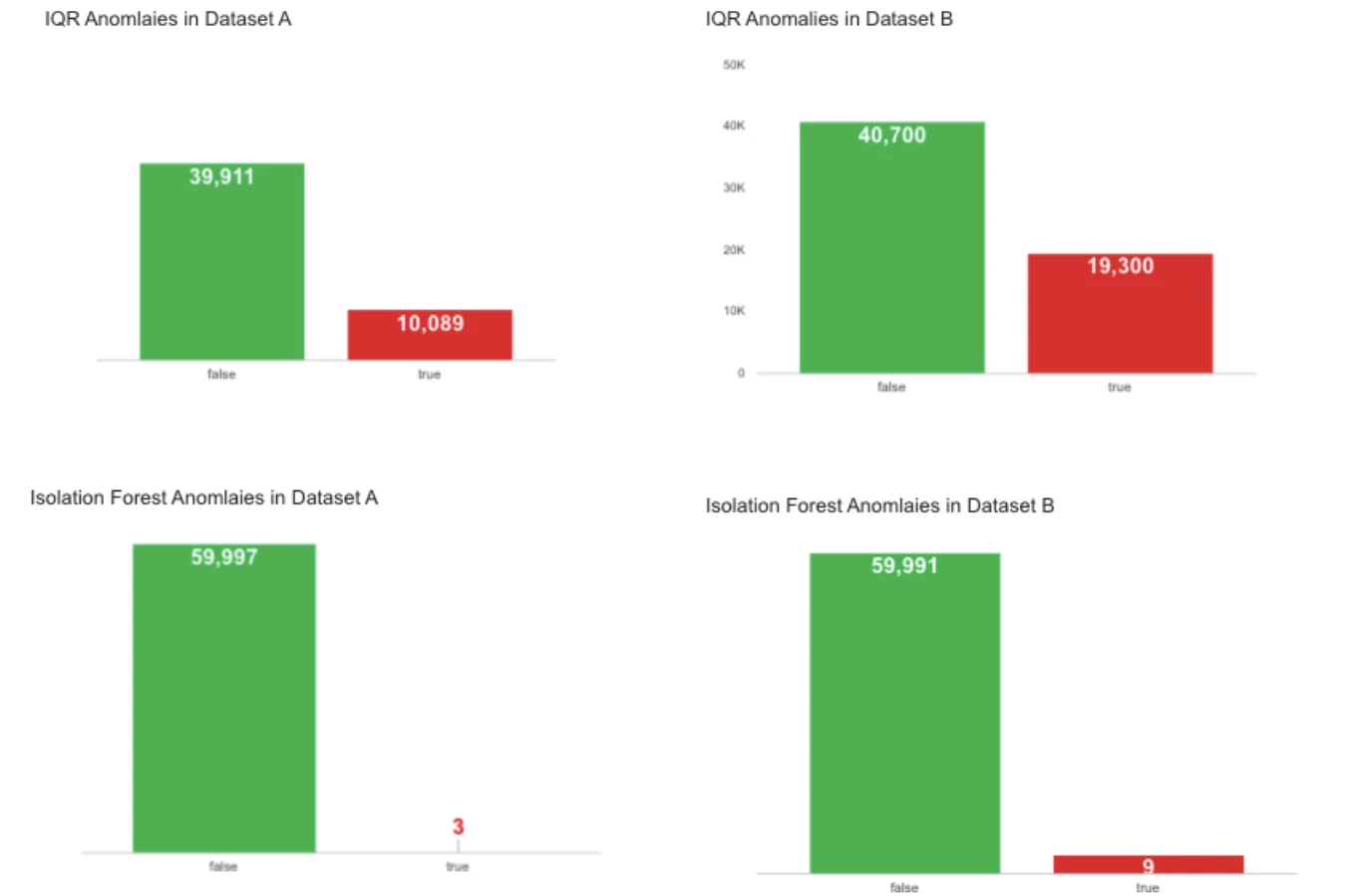
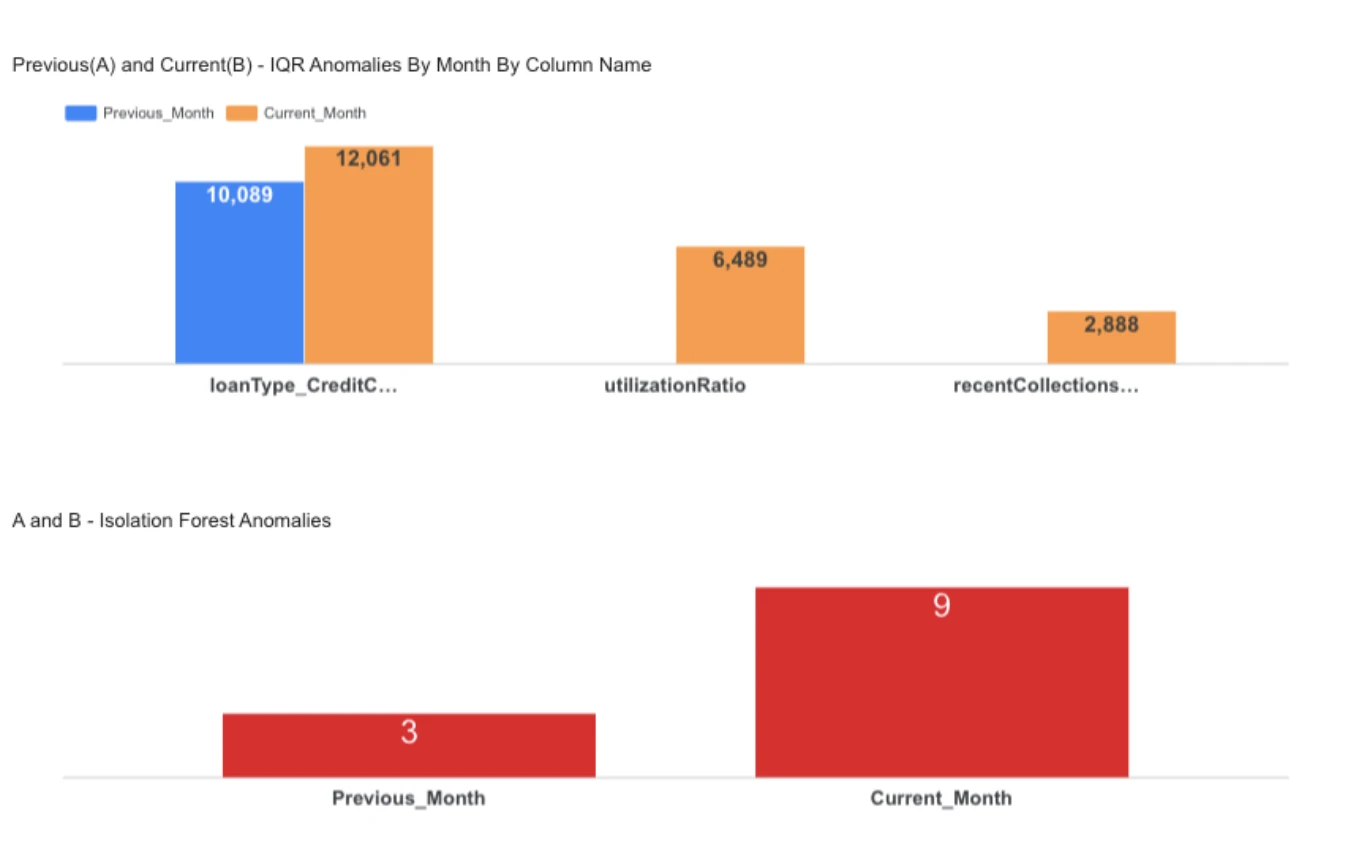
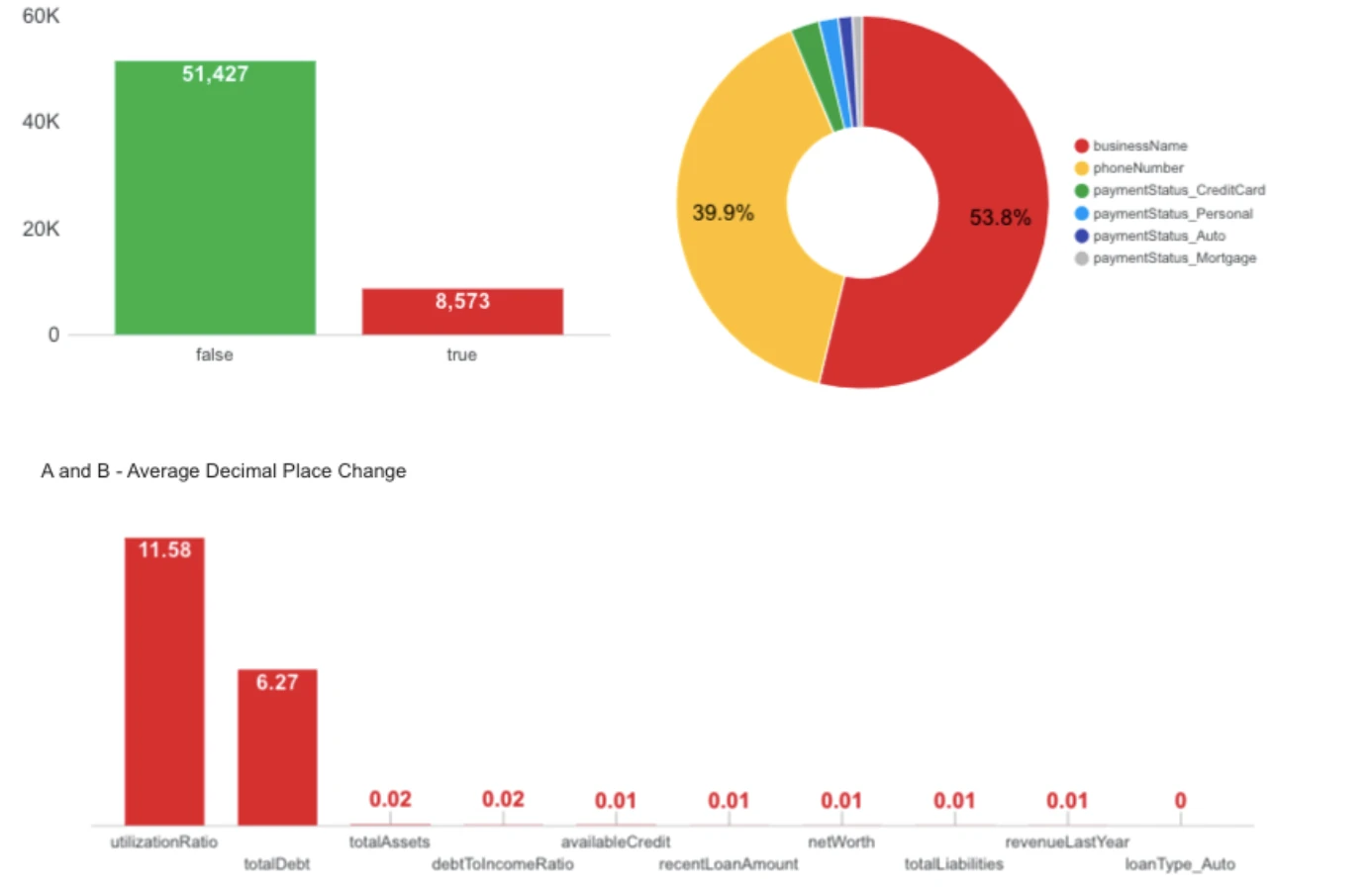
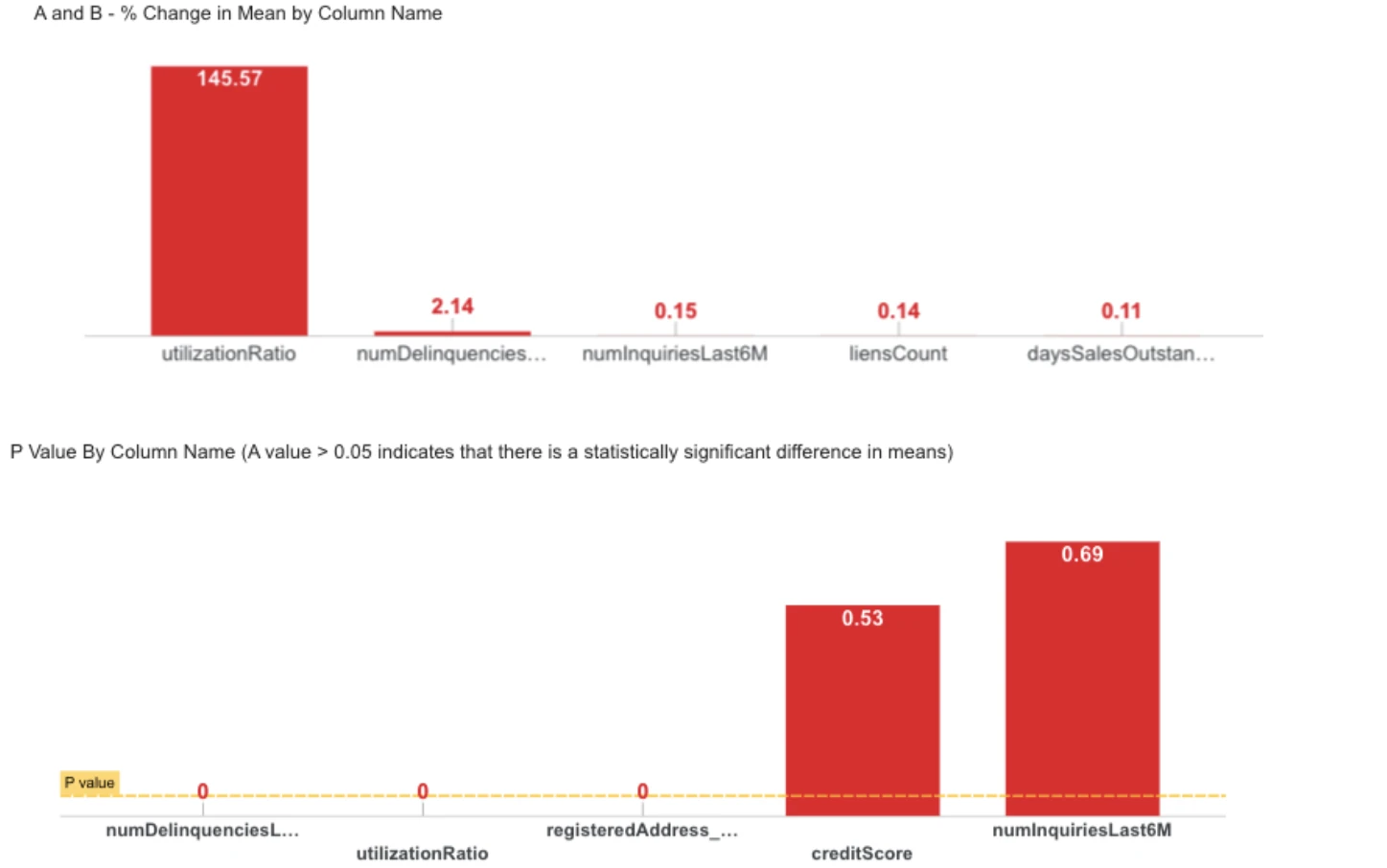
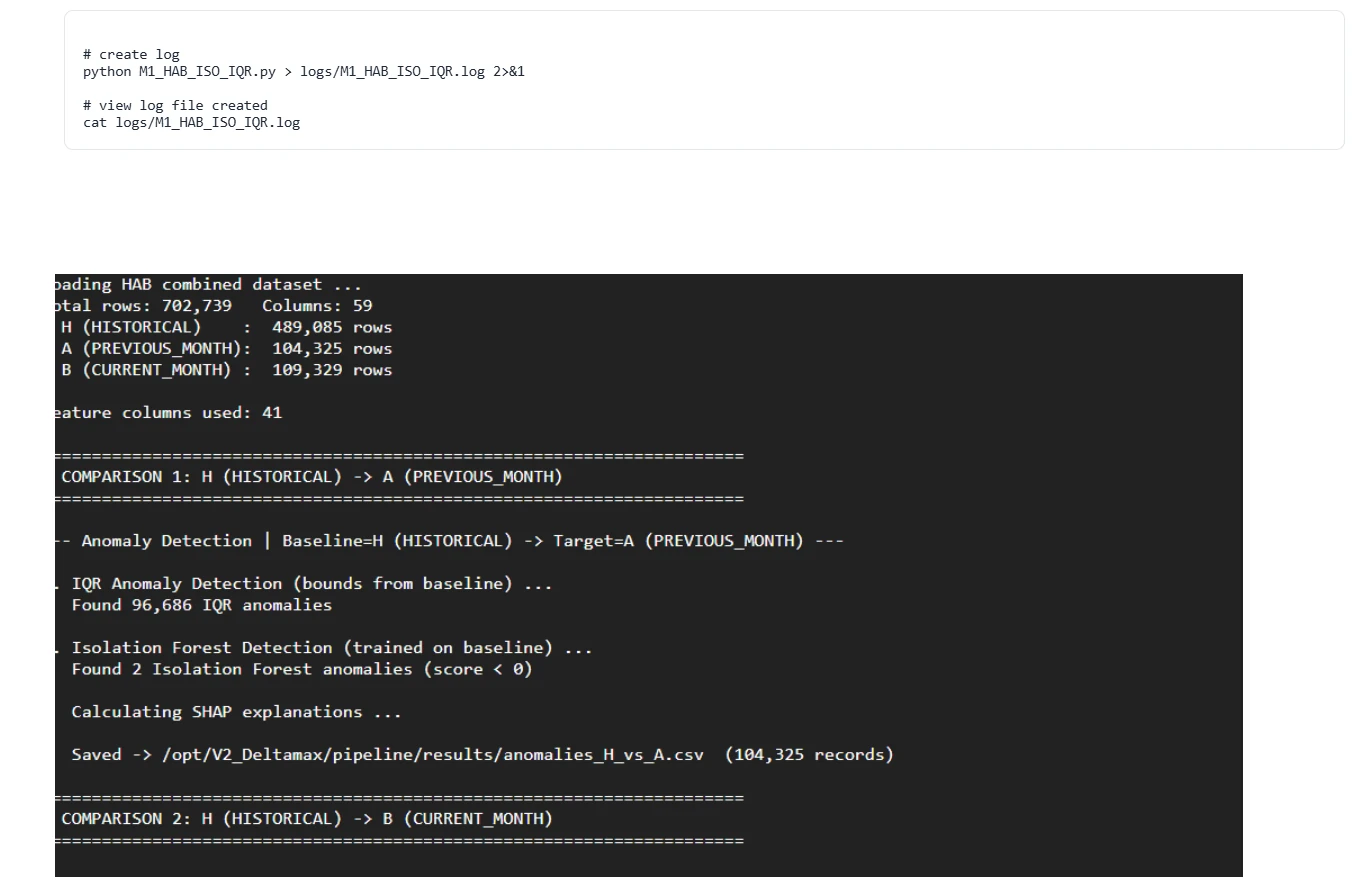
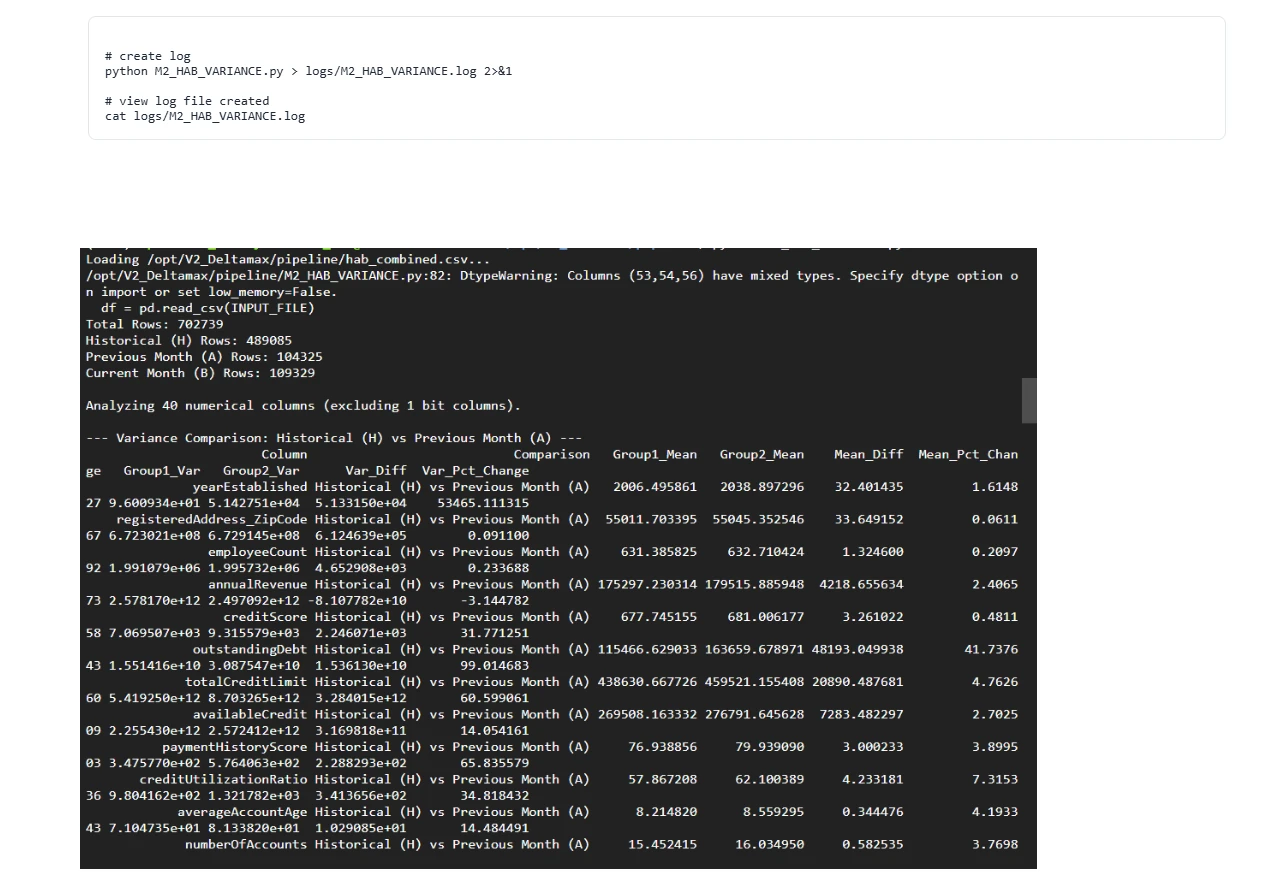
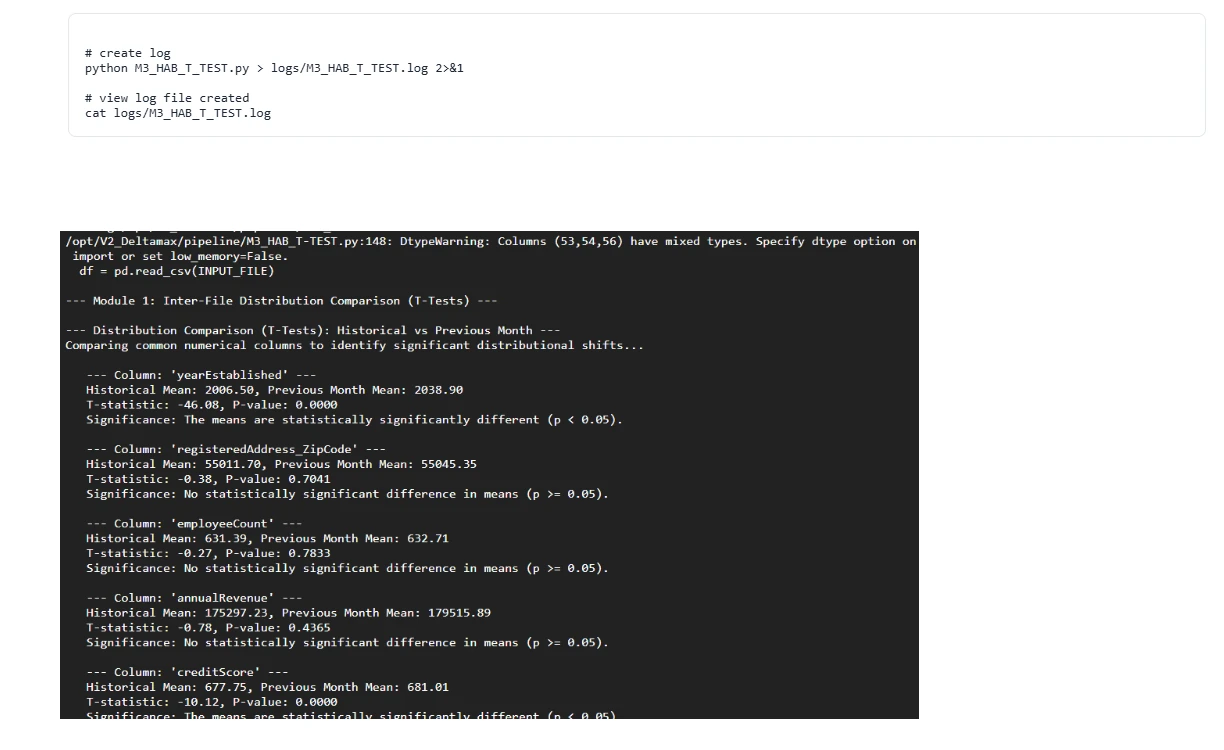
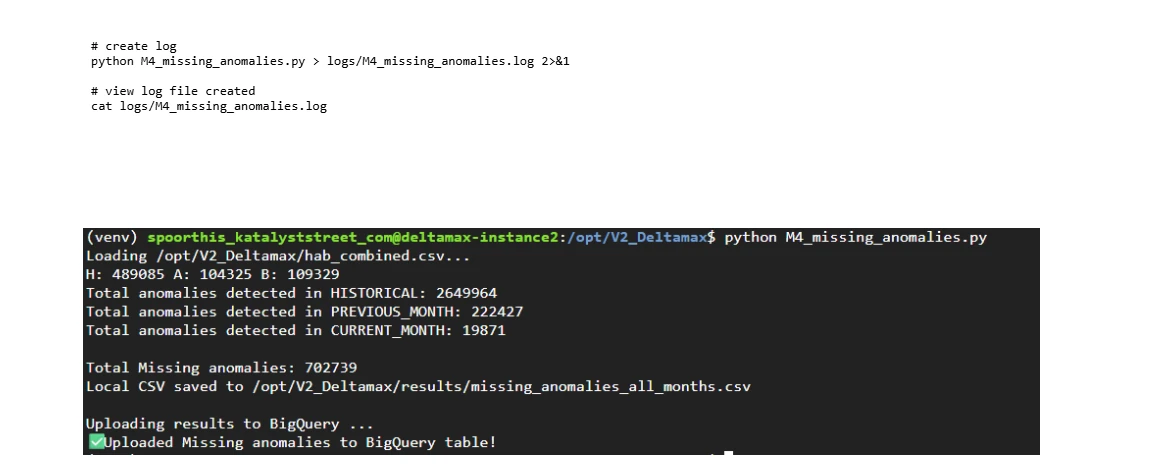
V2.0 walkthrough
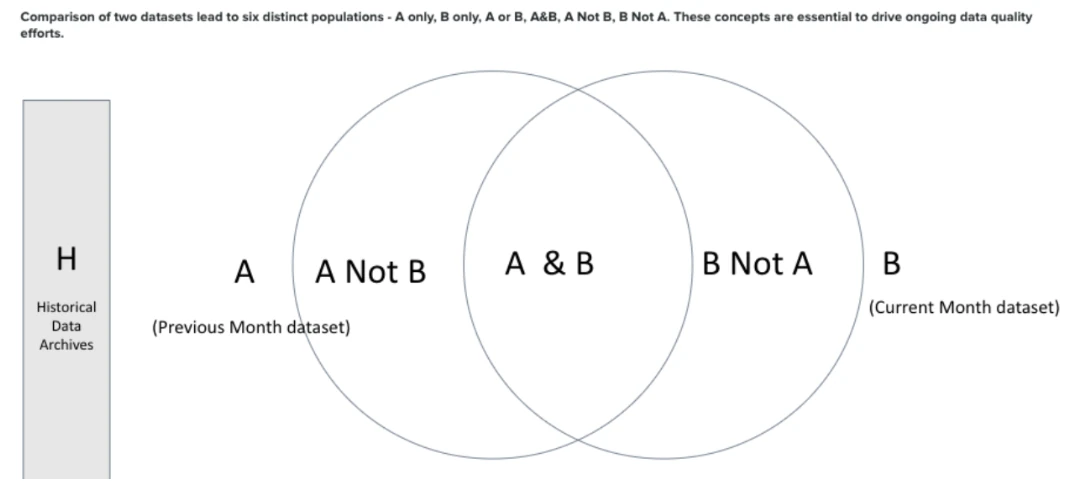
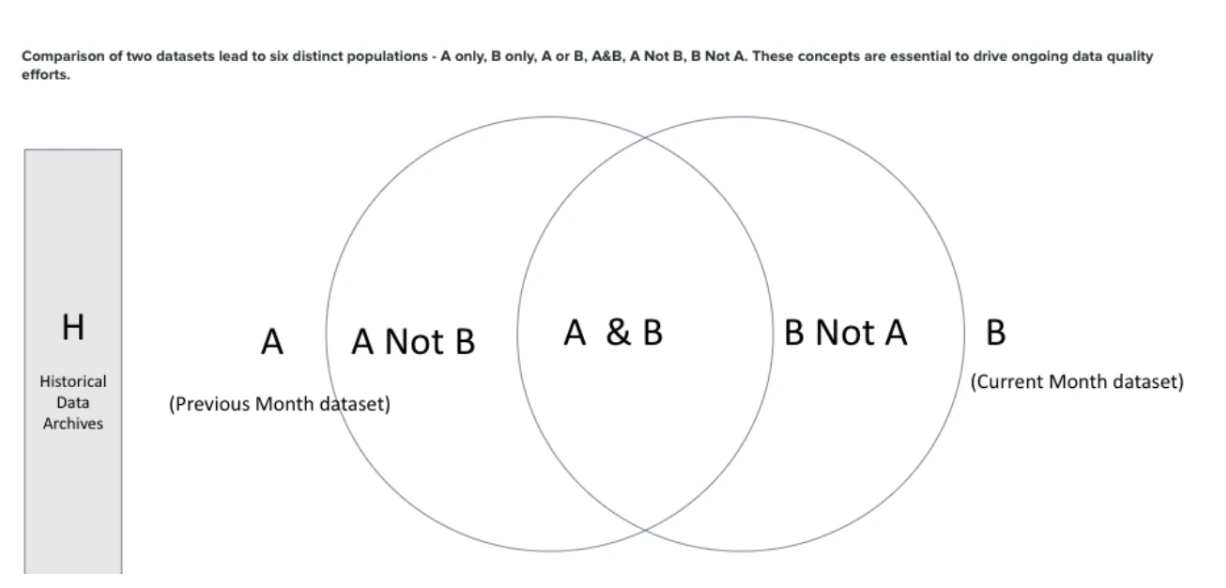
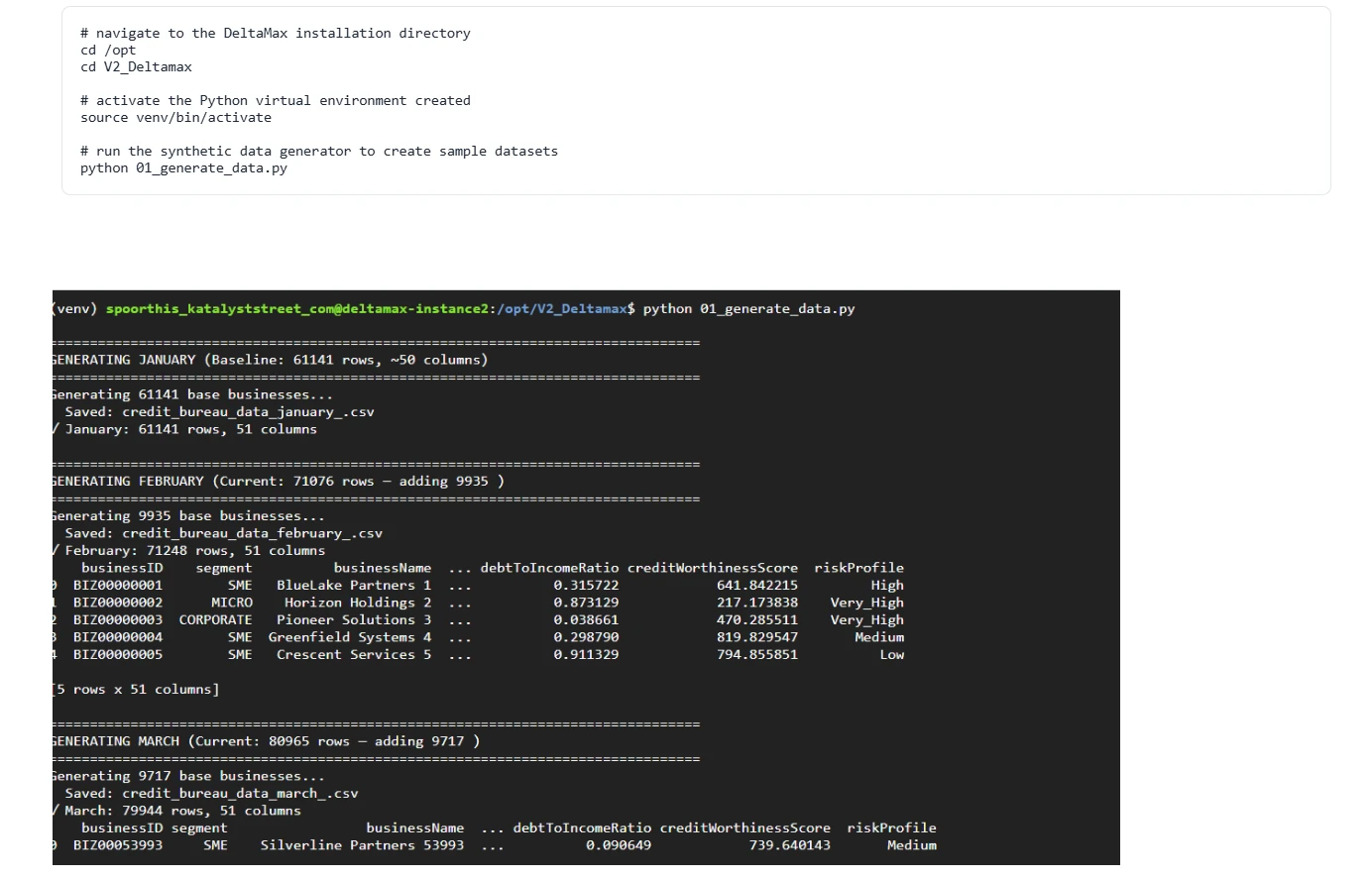
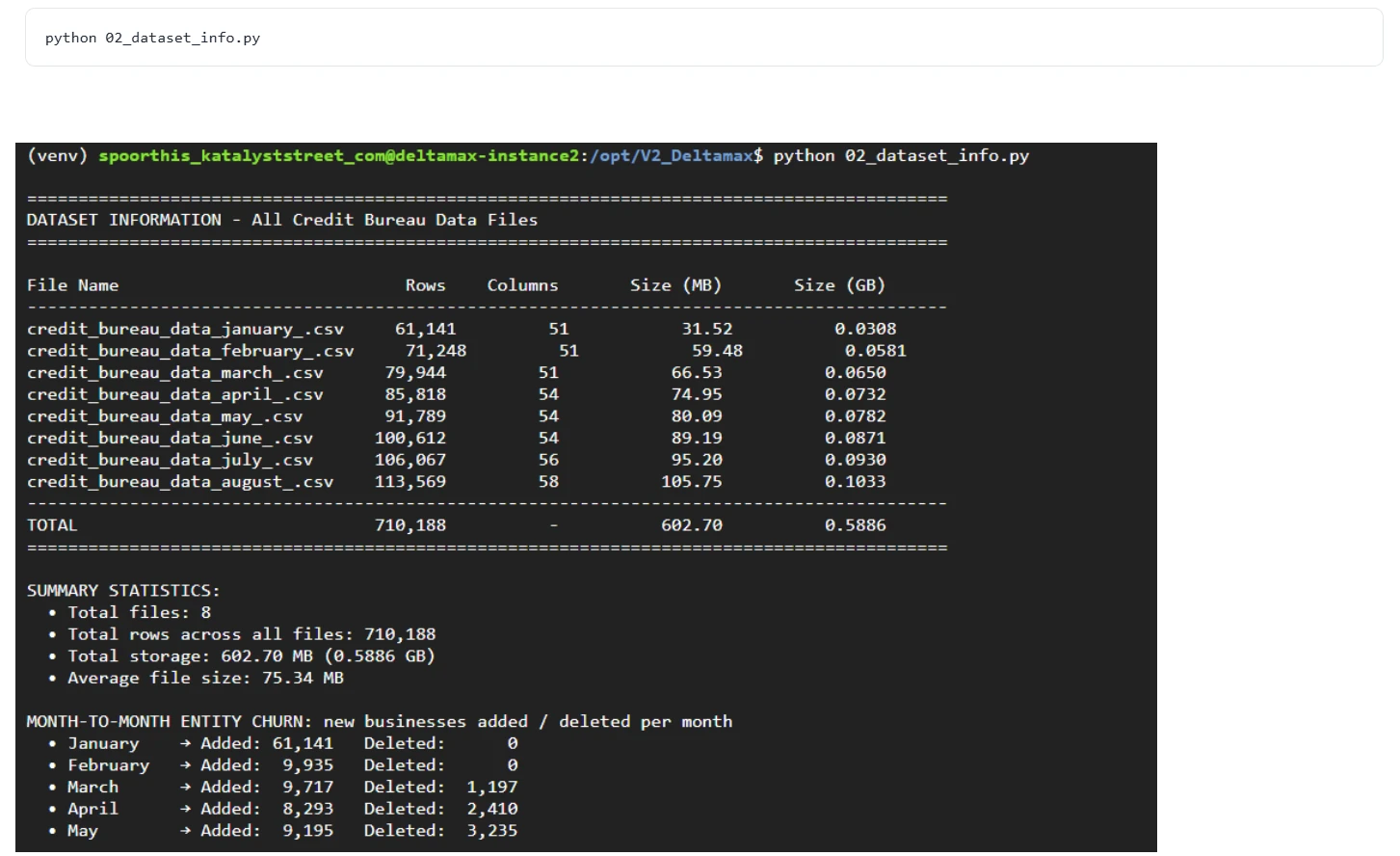
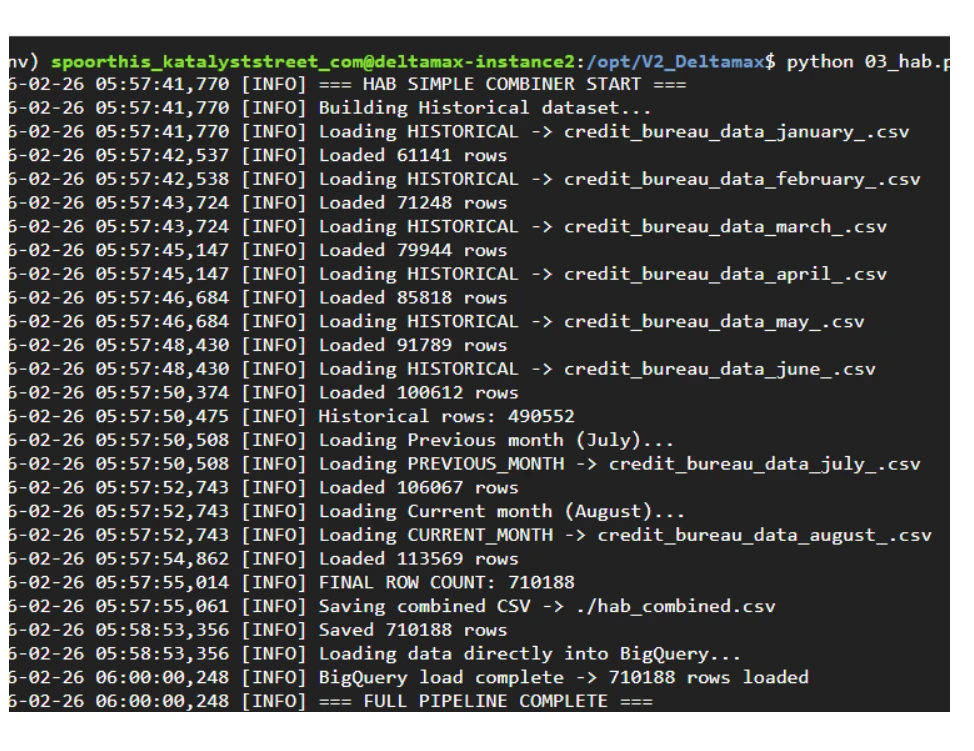
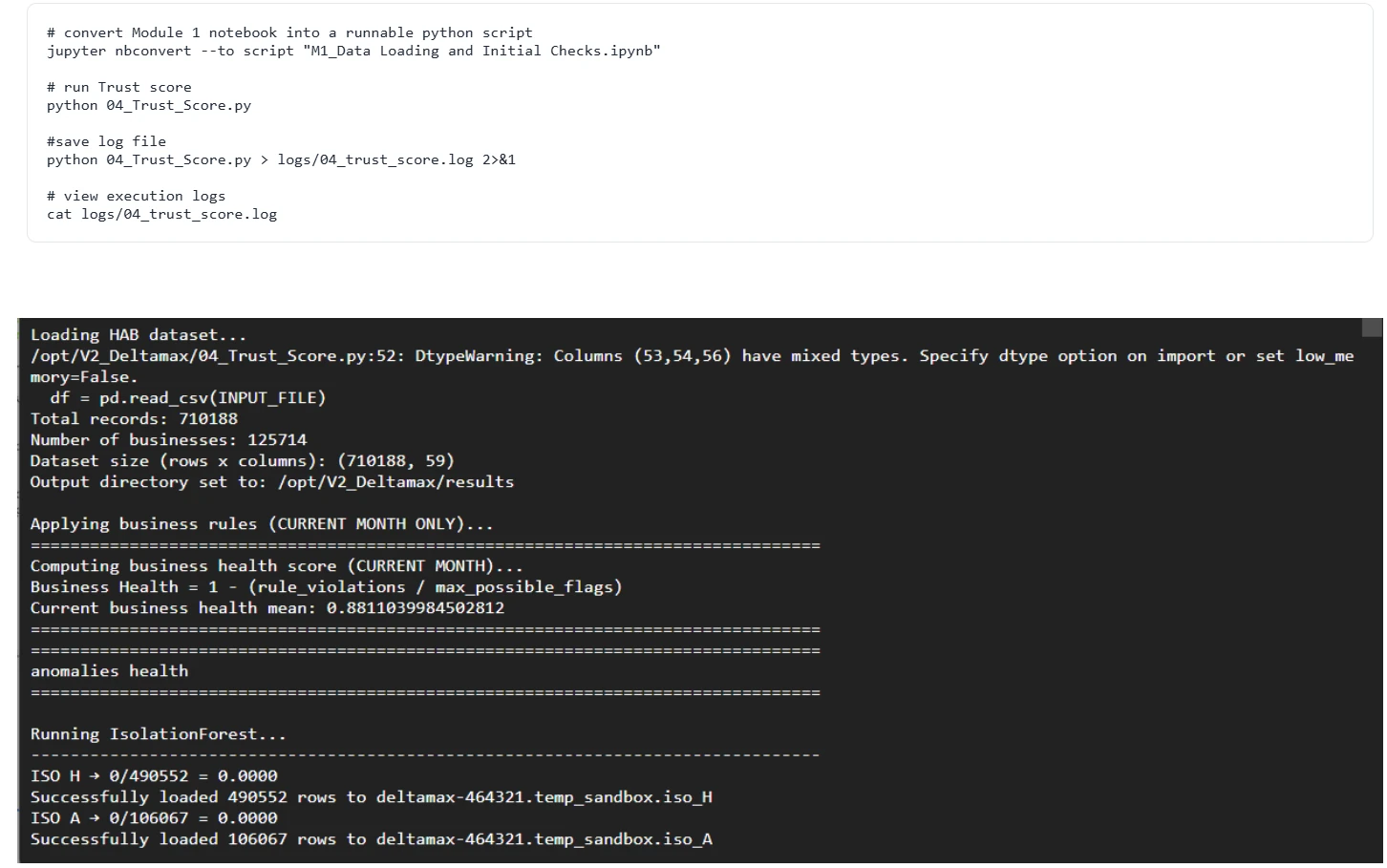
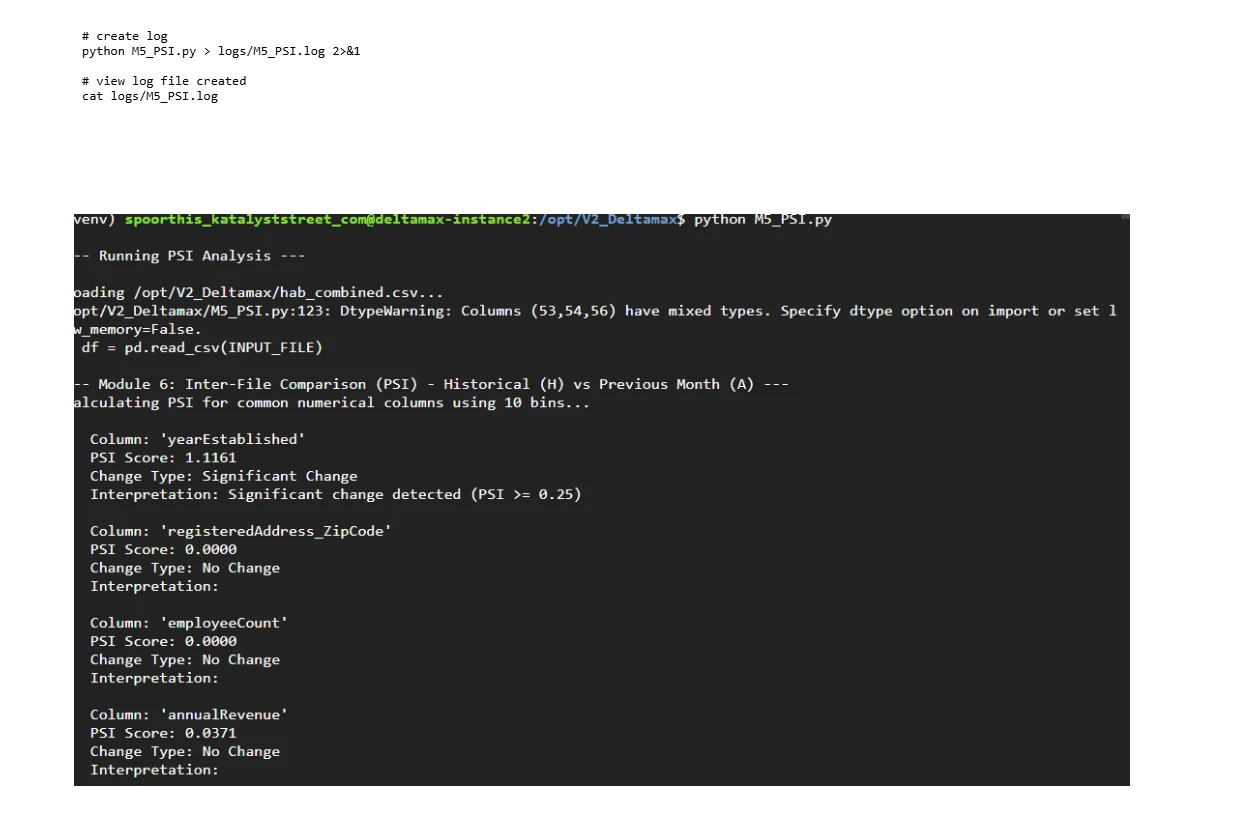
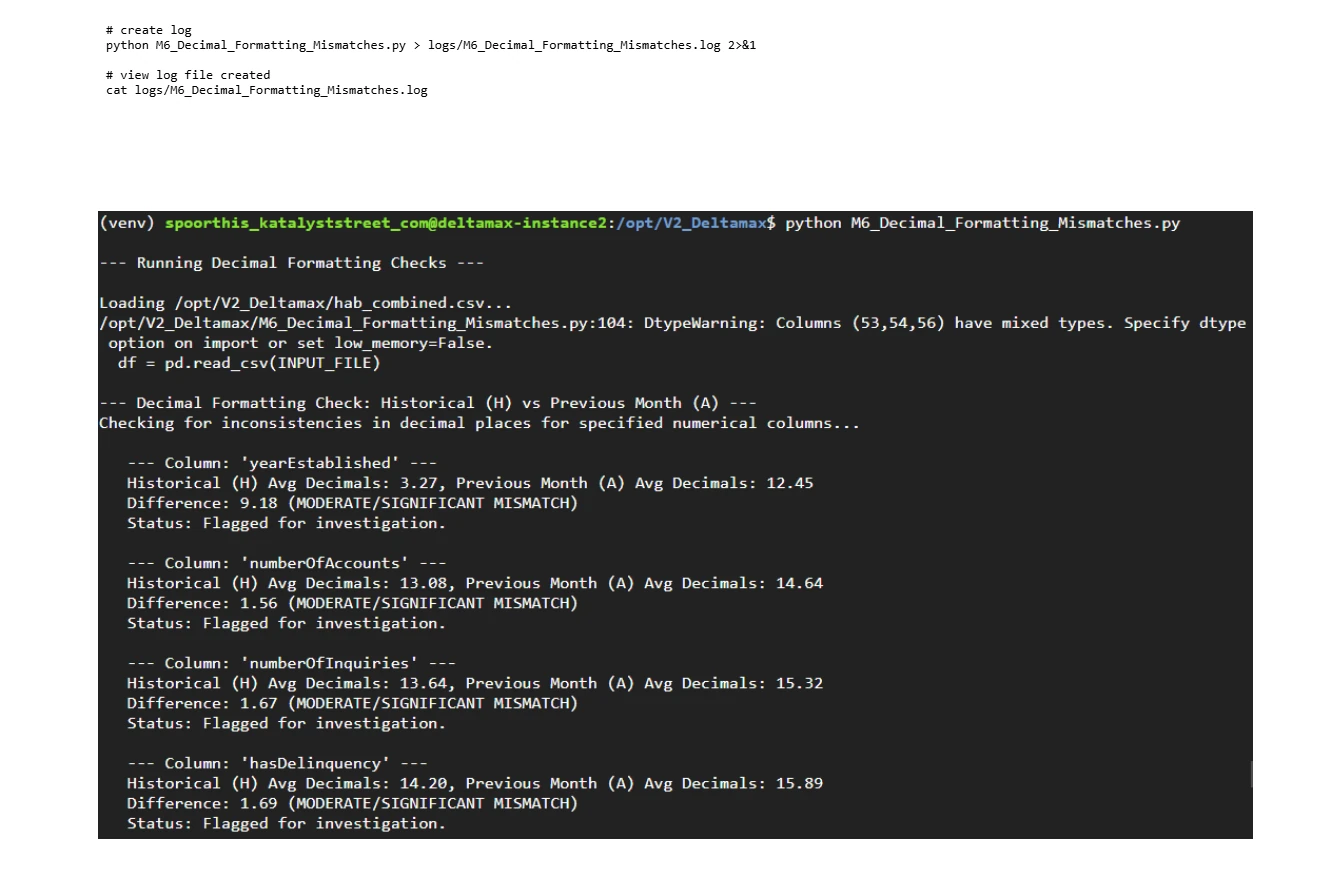
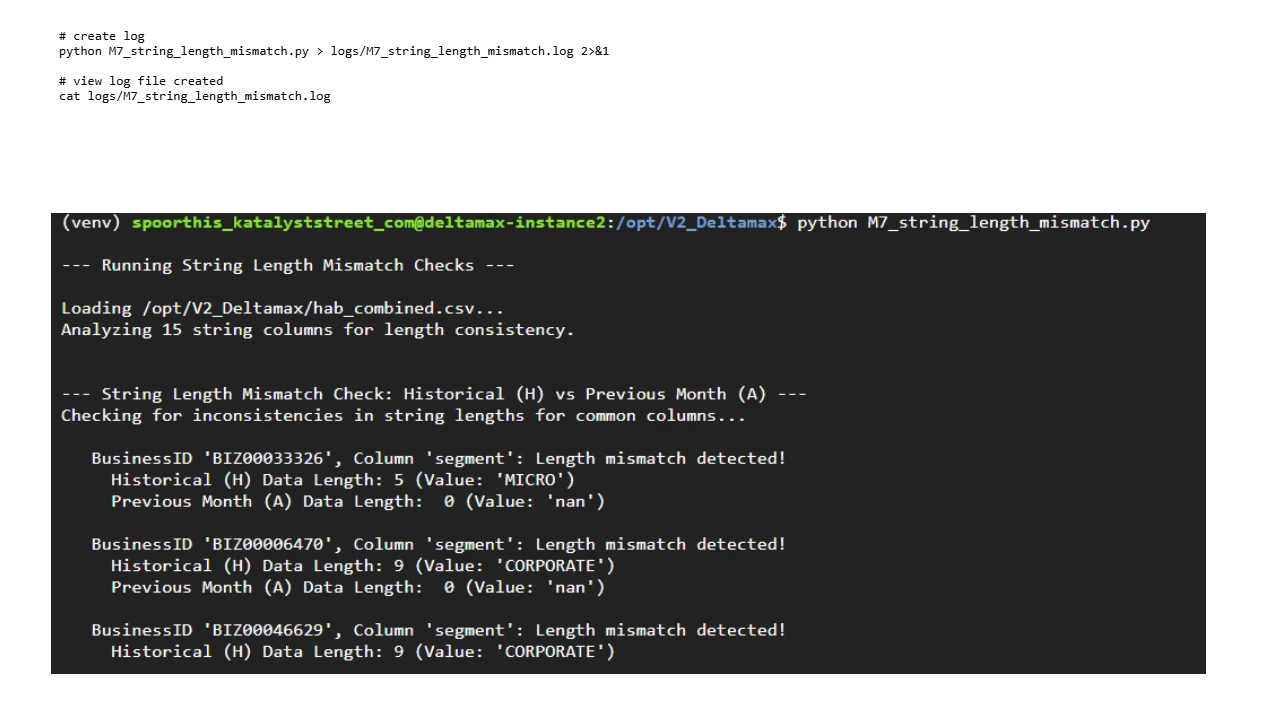
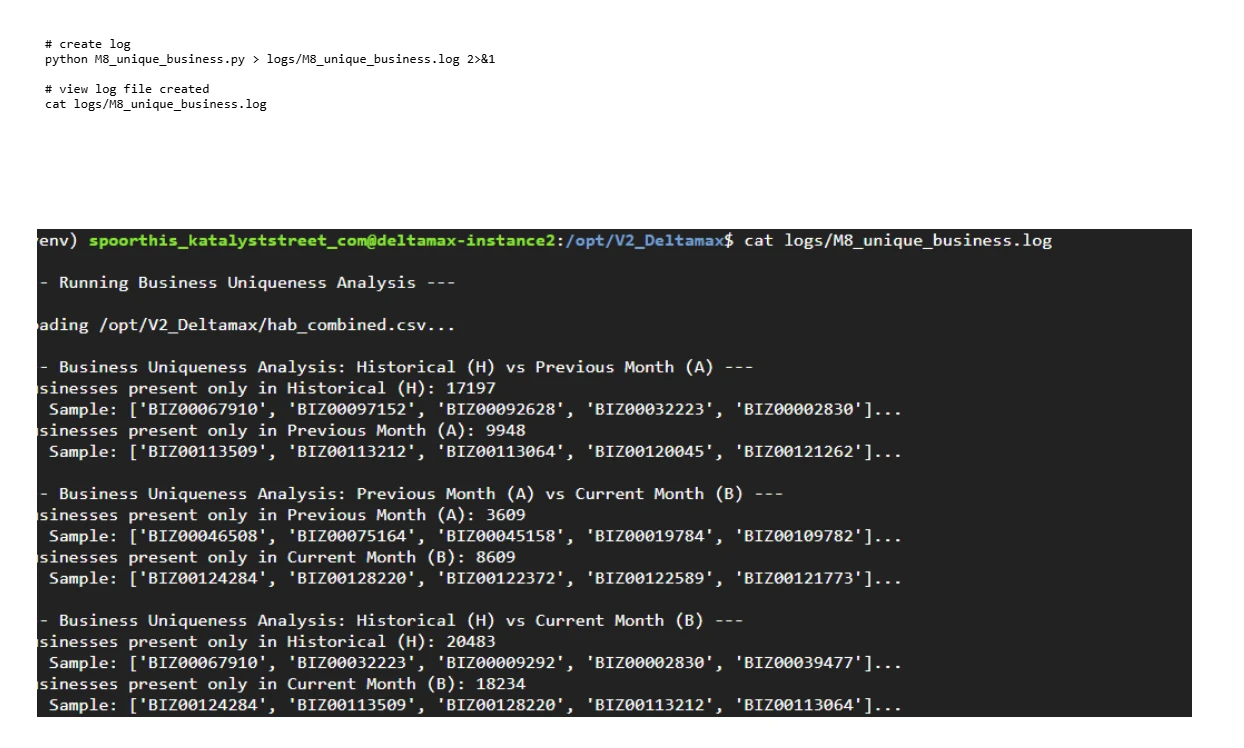
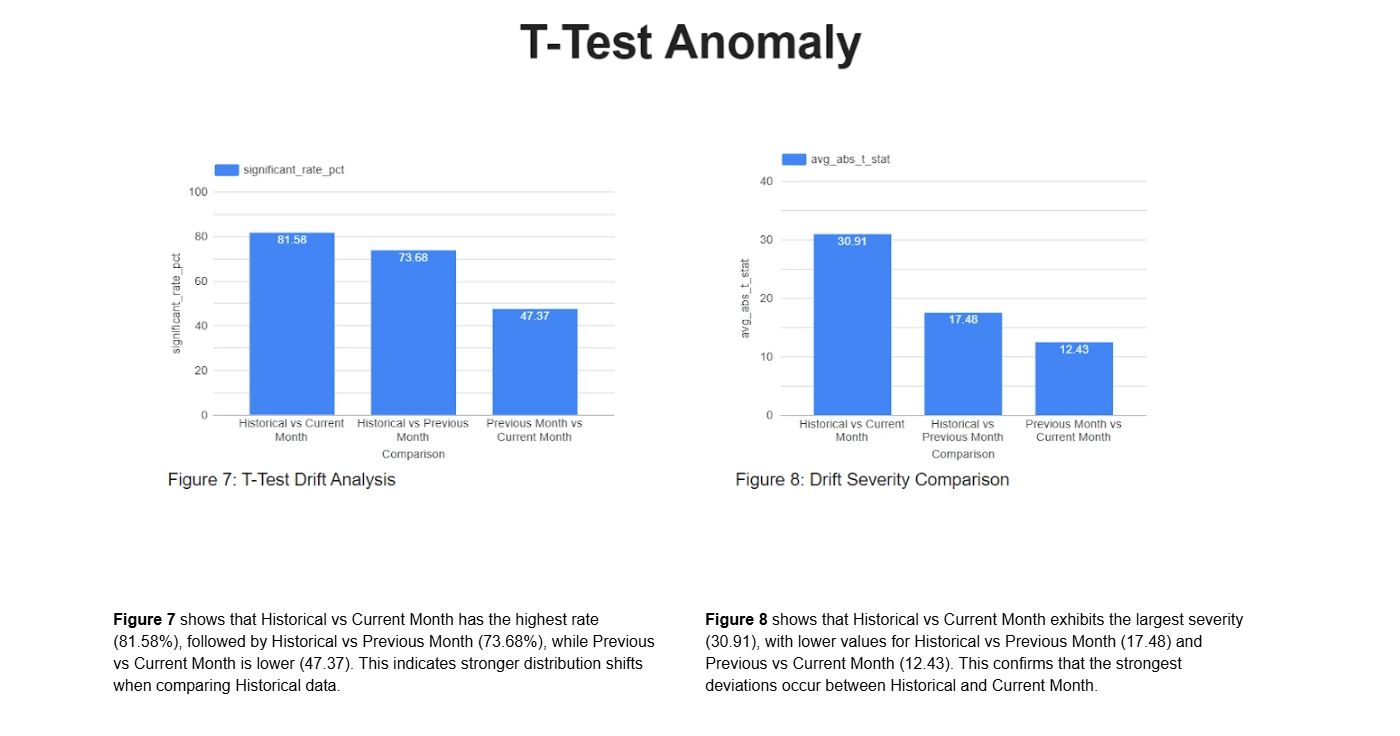
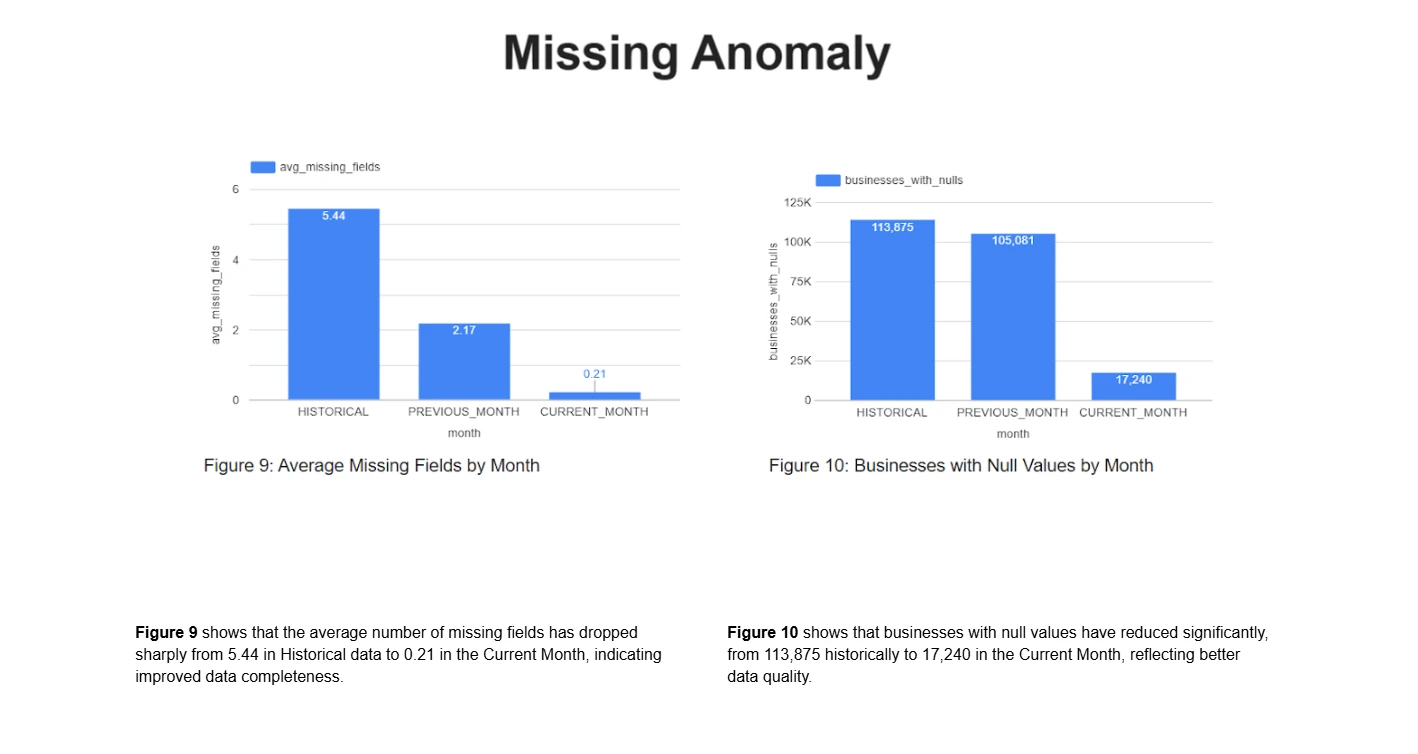
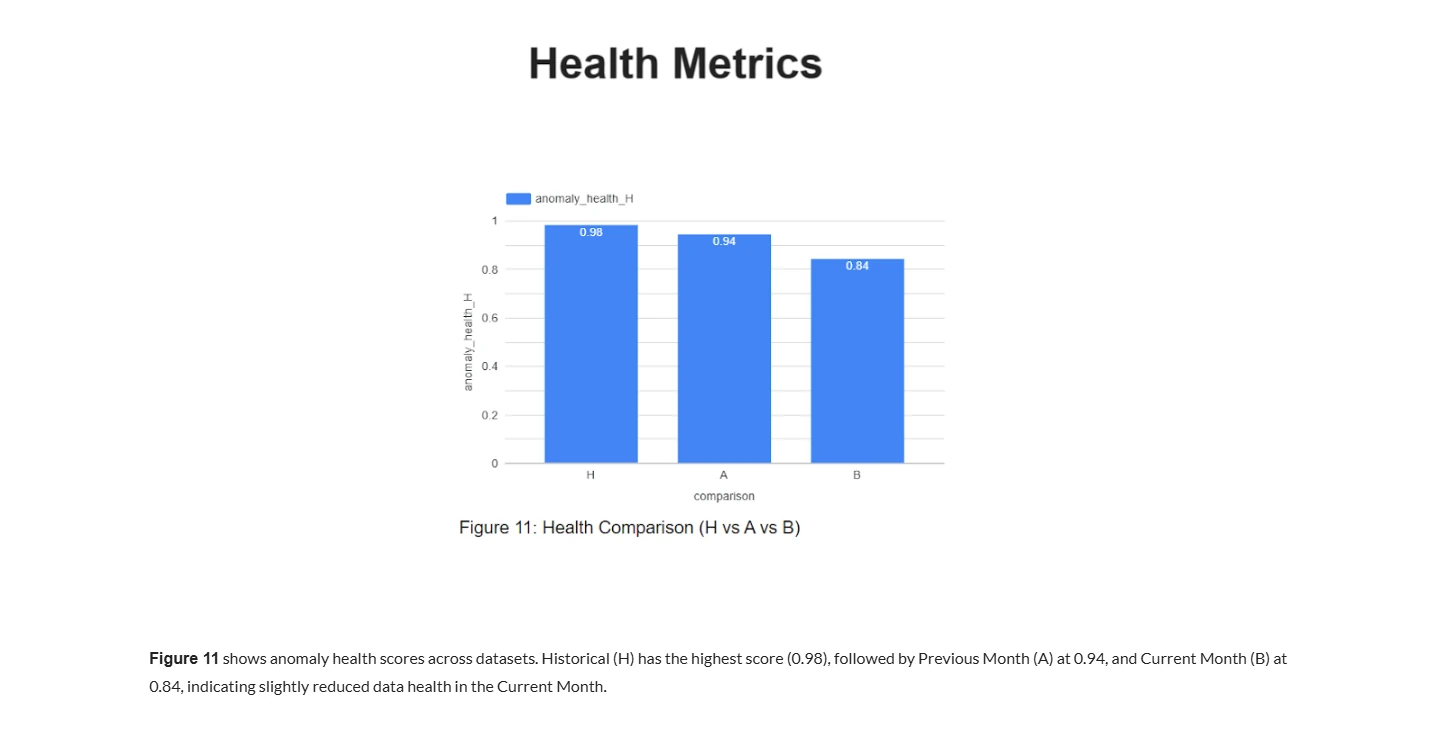
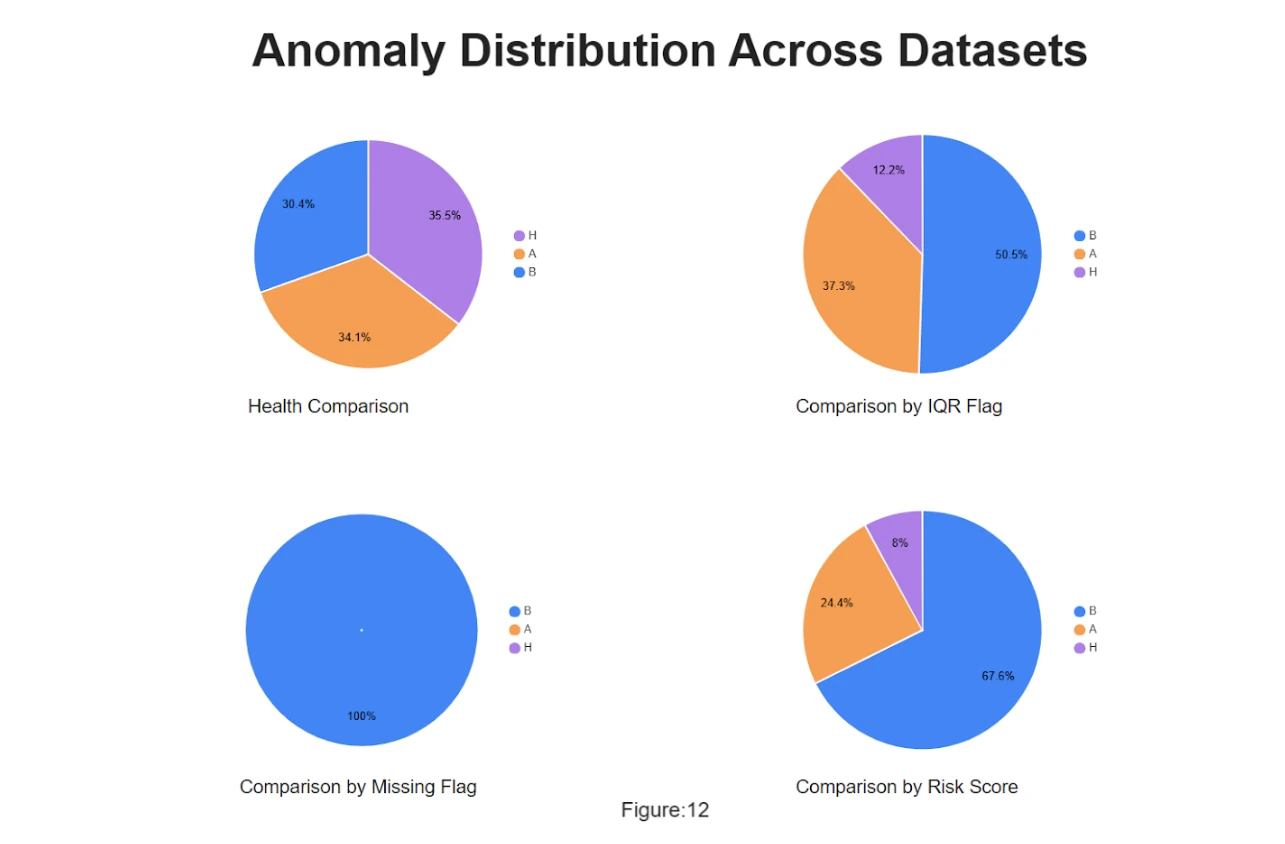
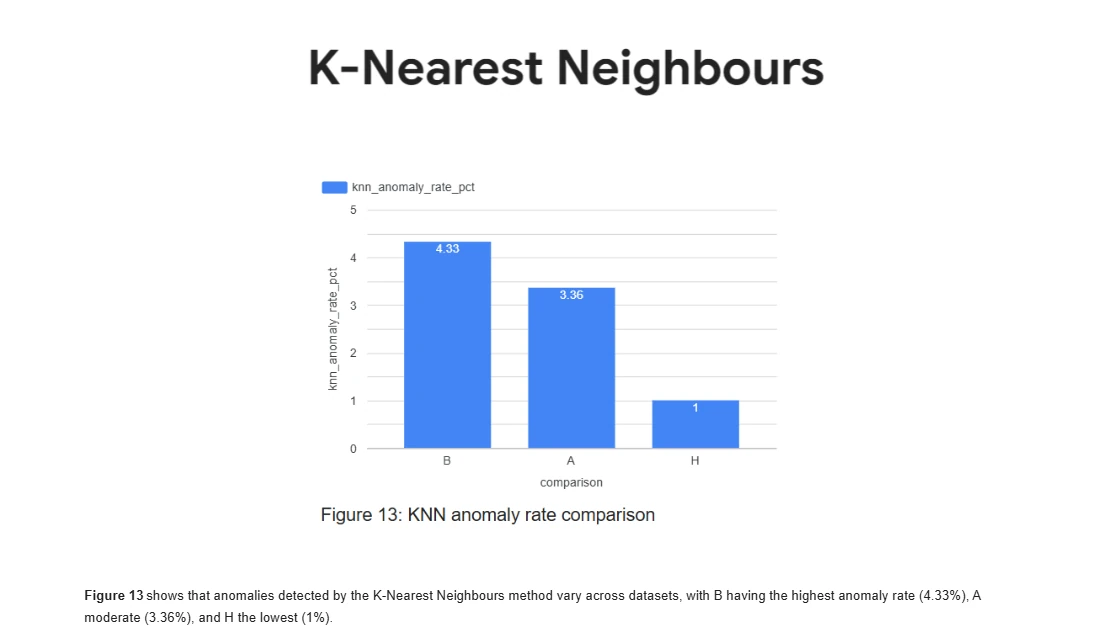
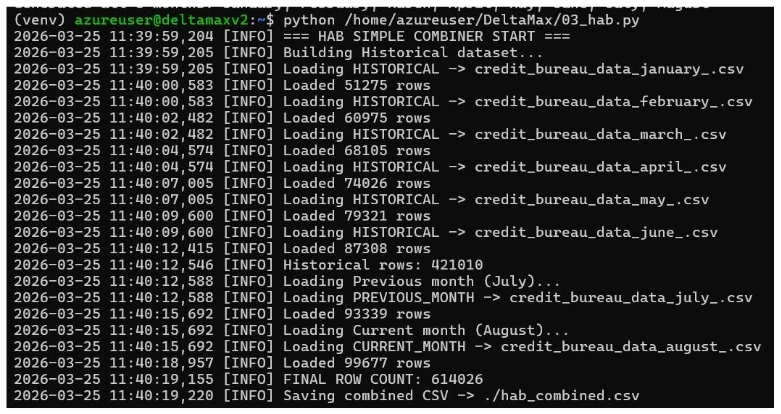
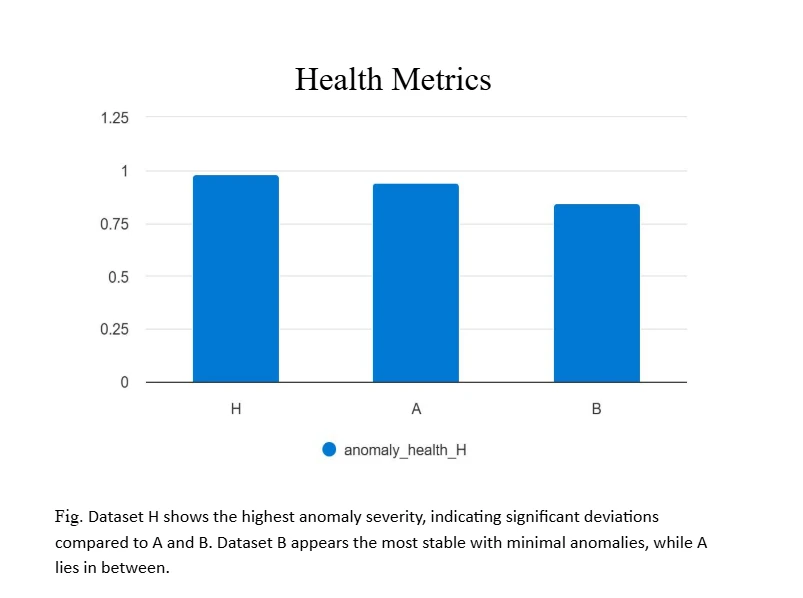
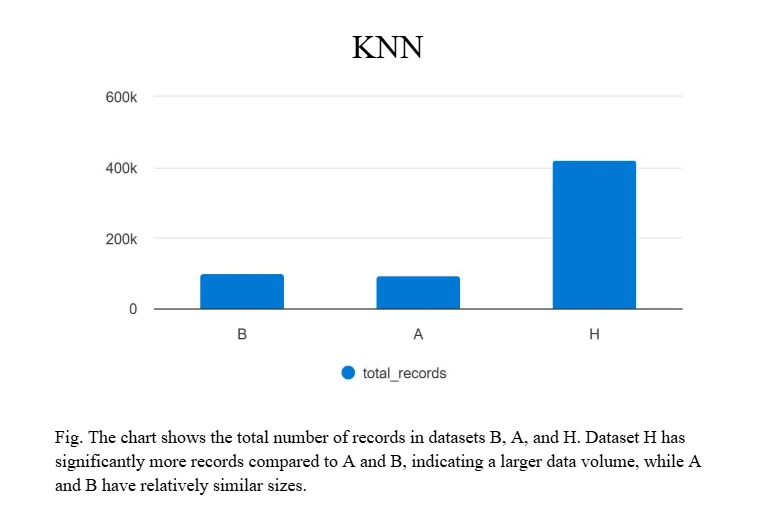
DeltaMax V2.0 extends the workflow with the H–A–B (Historical / Previous / Current) multi-period framework and Trust Score computation.



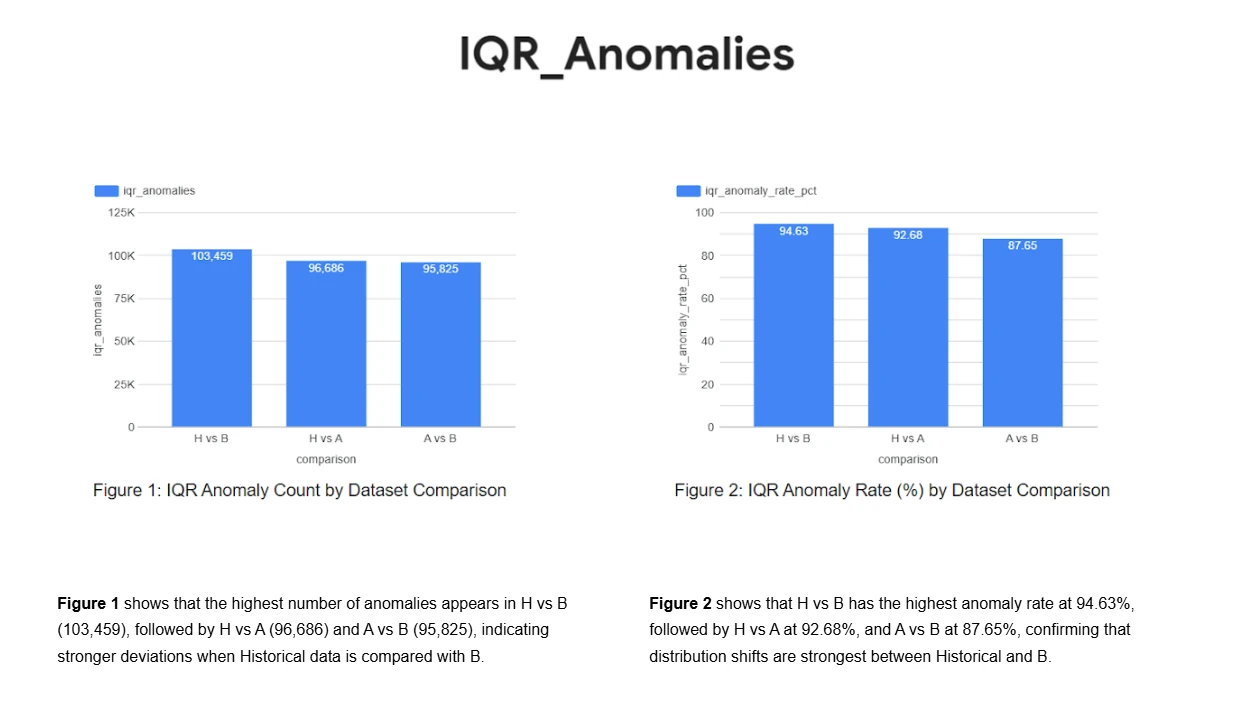
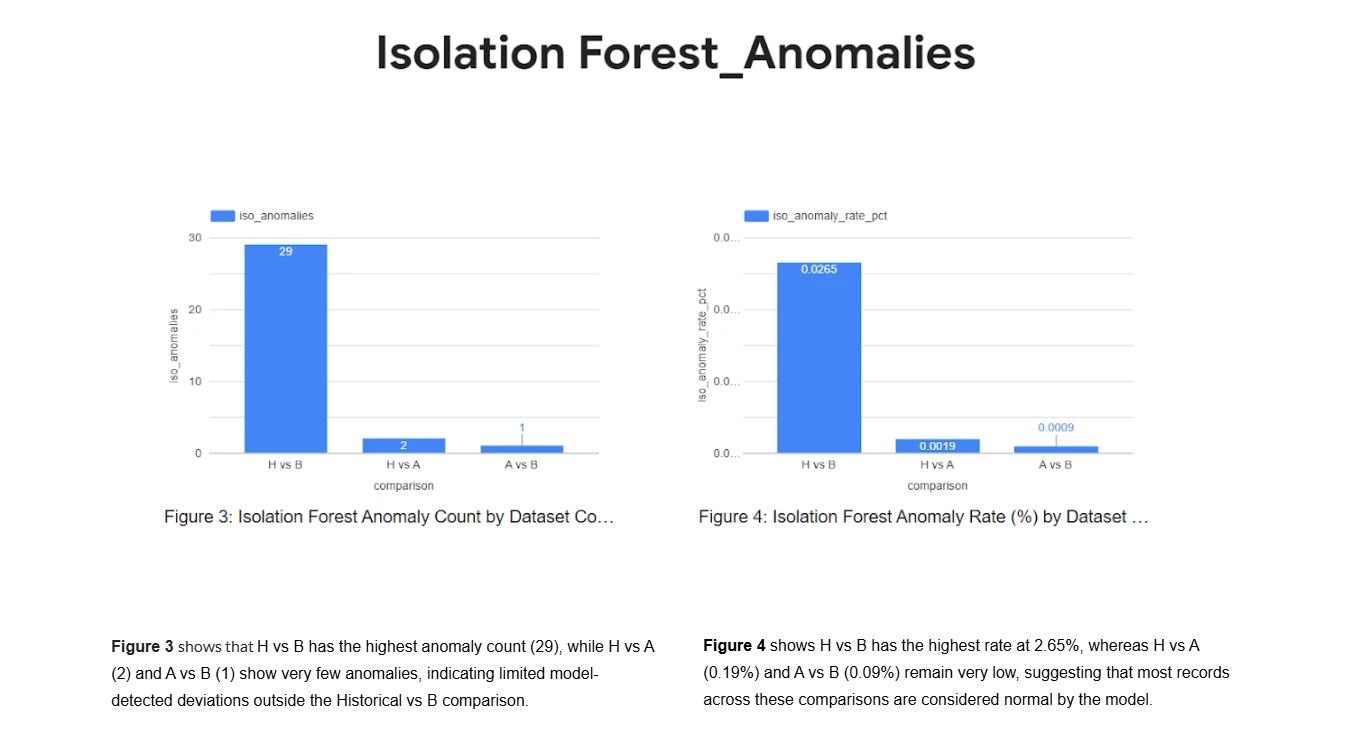
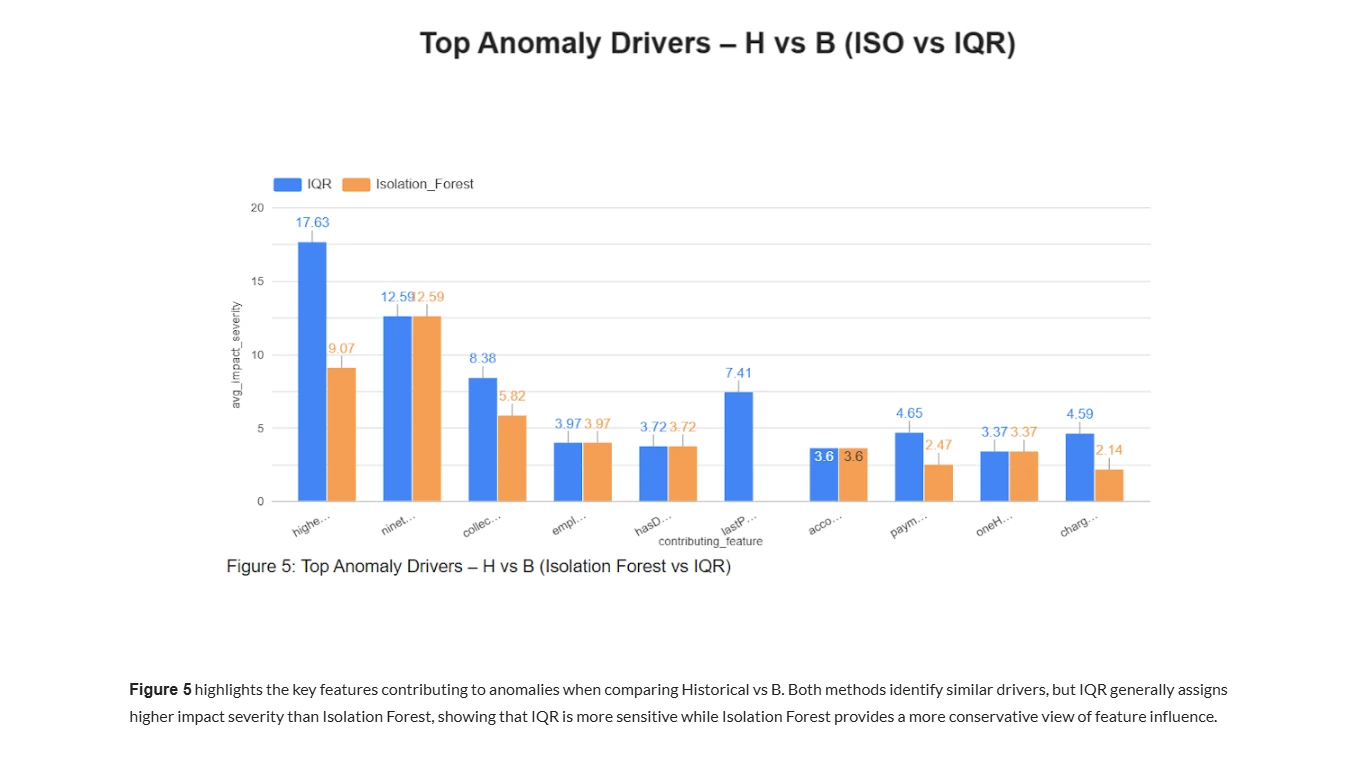
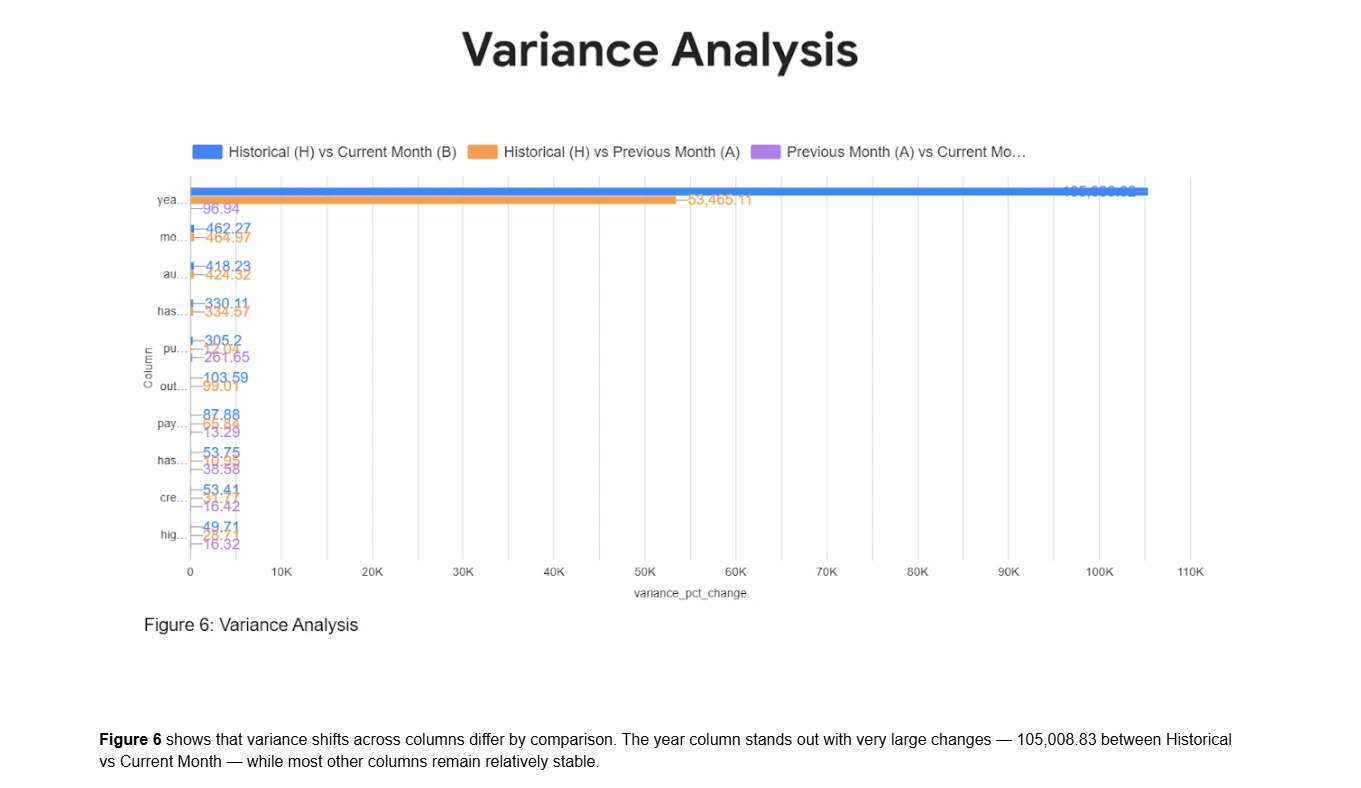

What the output looks like
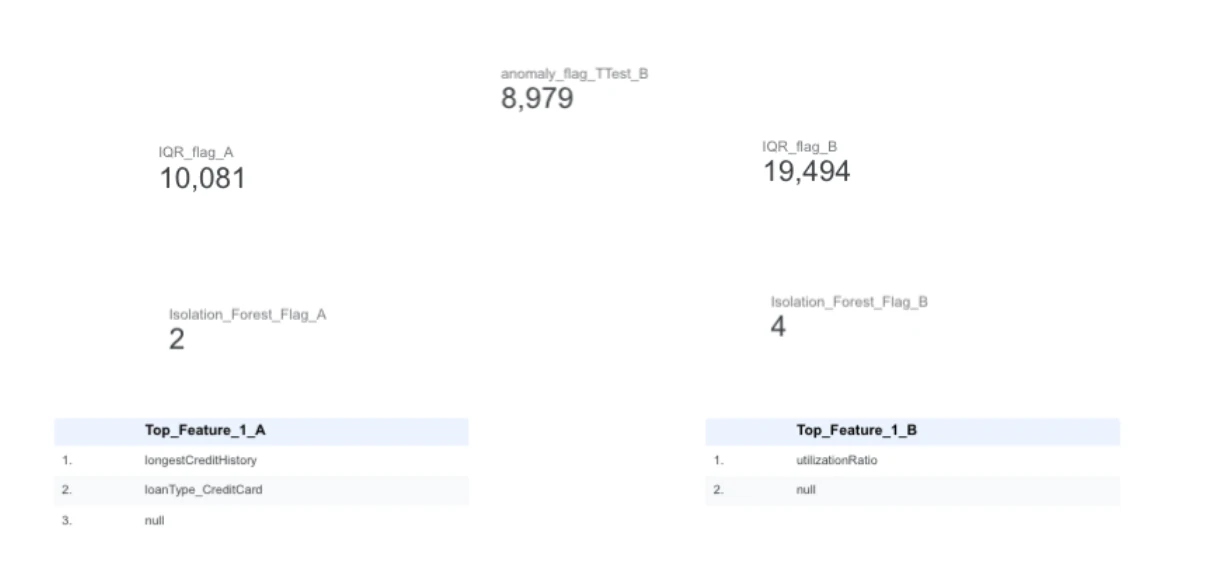
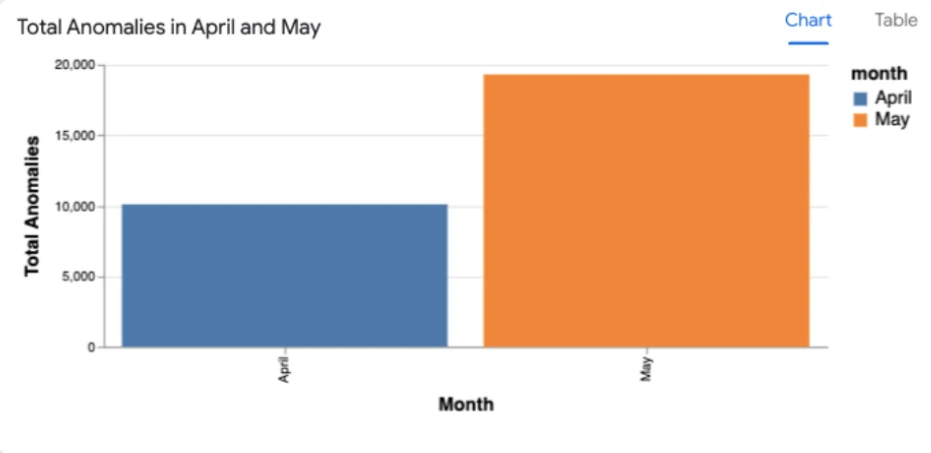
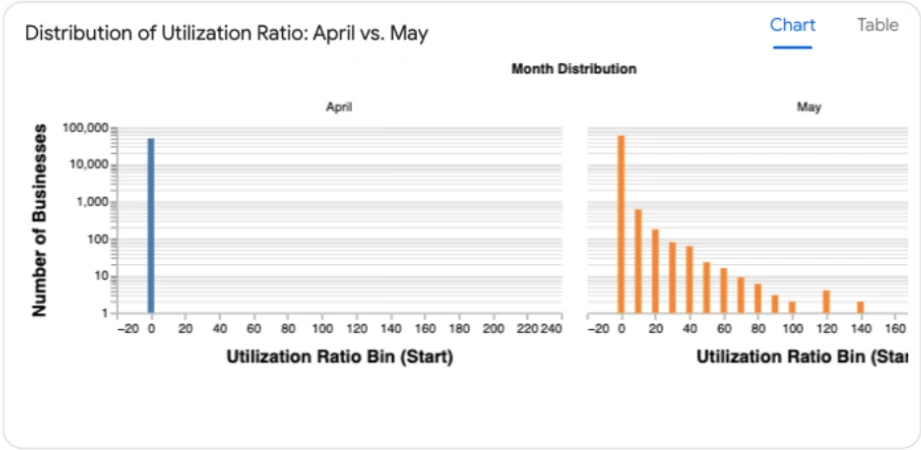
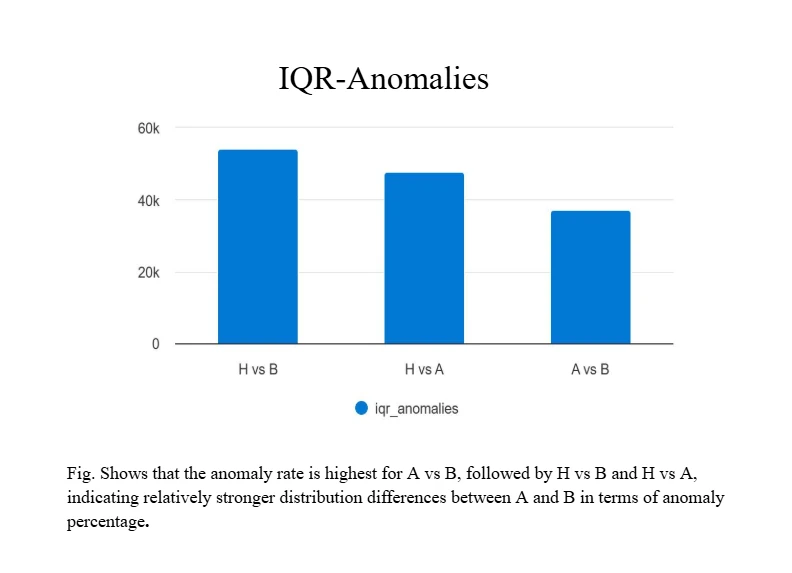
DeltaMax produces executive-ready results — anomaly tables, drift charts, and certification summaries — loaded into BigQuery and visualized in Looker Studio.
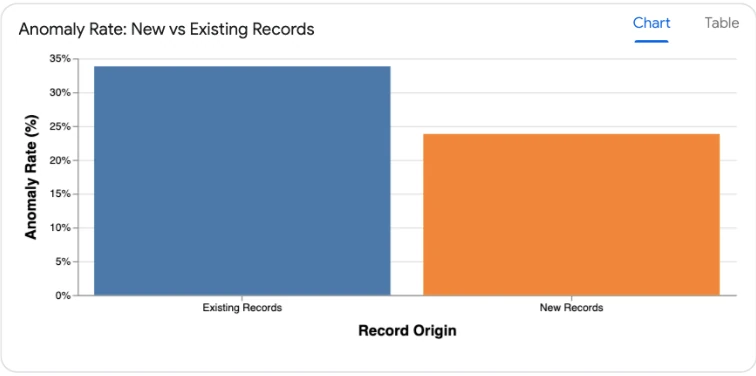
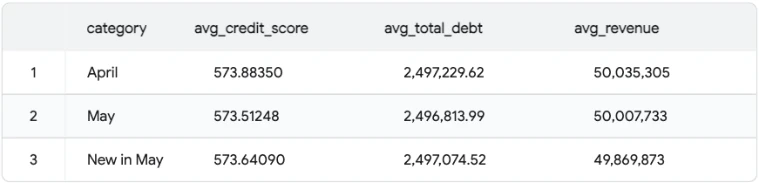

DeltaMax V2.0 — Azure Integration
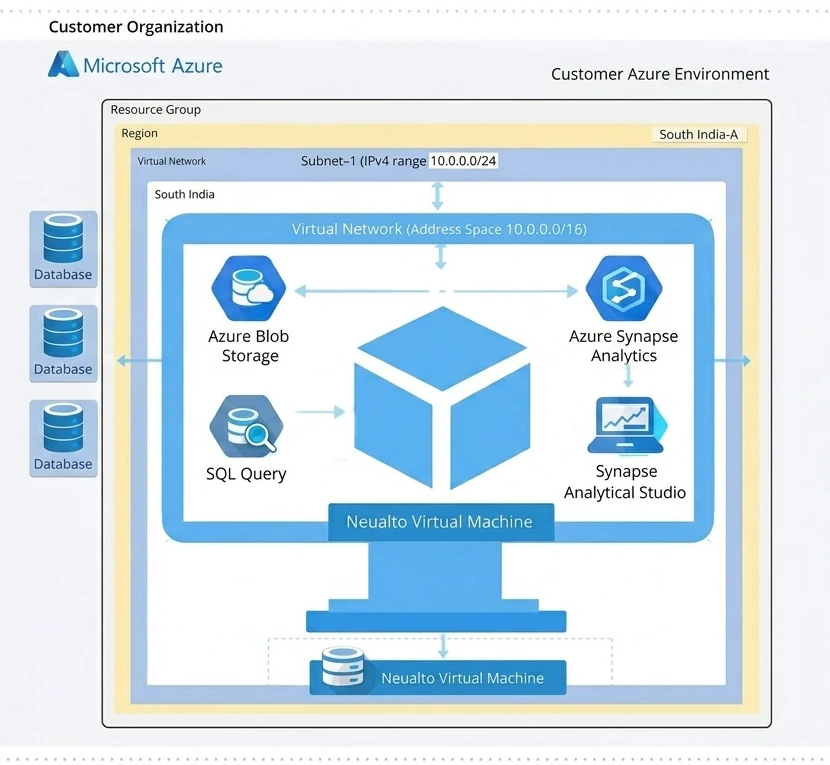
DeltaMax V2.0 is an advanced data quality and anomaly detection framework developed by Katalyst Street. It enables organizations to perform multi-period data validation, statistical drift detection, and machine-learning-based anomaly identification — designed to work seamlessly with the Microsoft Azure ecosystem, replacing Google Cloud components with Azure-native services:
- Azure Blob Storage for scalable data storage
- Azure Synapse Analytics for warehousing, querying, visualization and reporting
- Azure Agent for agentic intelligence
- Power BI for real-time dashboards connected to Synapse
Key capabilities of V2.0
- Multi-period data generation (H–A–B framework) — generates Historical (H), Previous (A), and Current (B) datasets to enable drift and stability analysis. January–June act as Historical, July as Previous, August as Current with controlled variations injected.
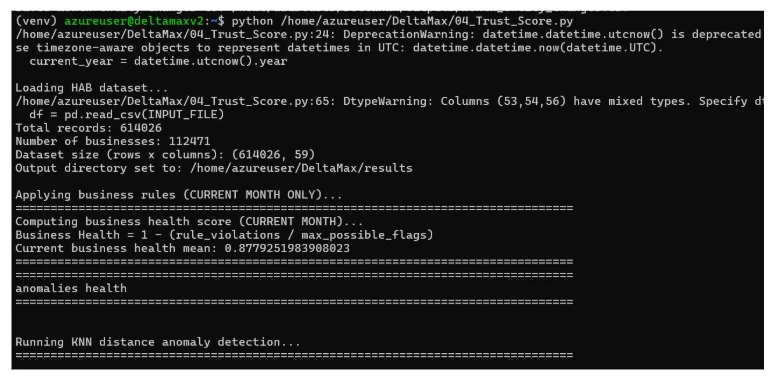
- Trust Score computation — combines anomaly signals, drift metrics, and validation checks into a weighted, normalized 0–100 score: a single interpretable risk metric for the current month.
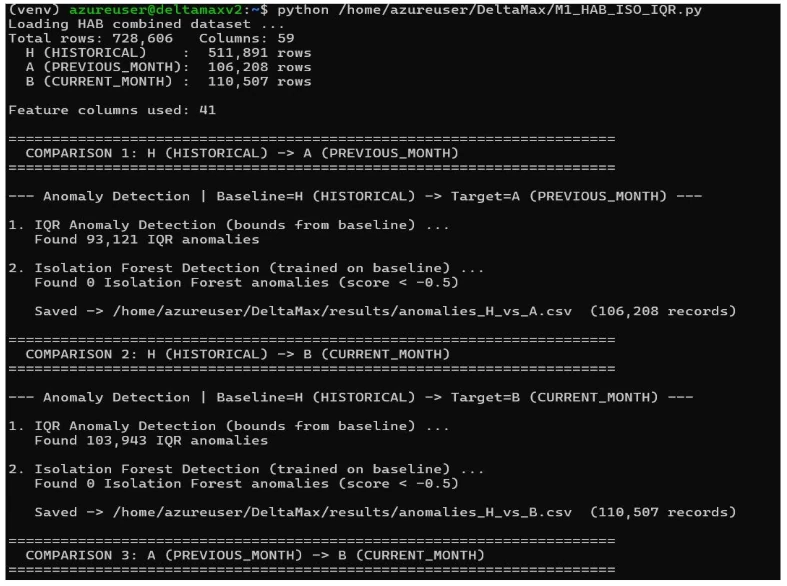
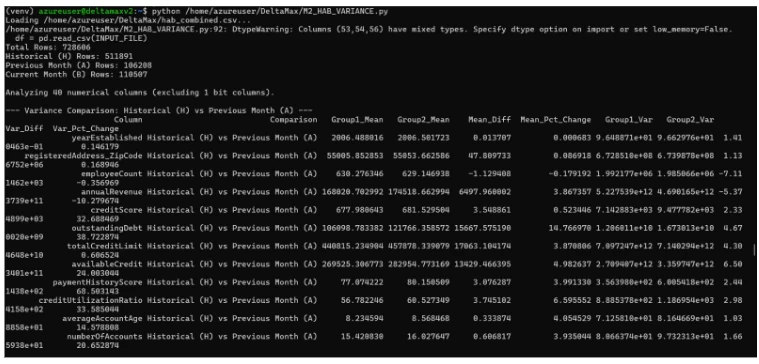
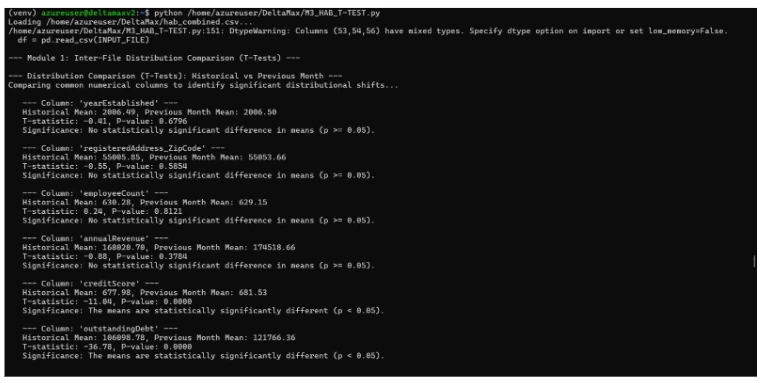
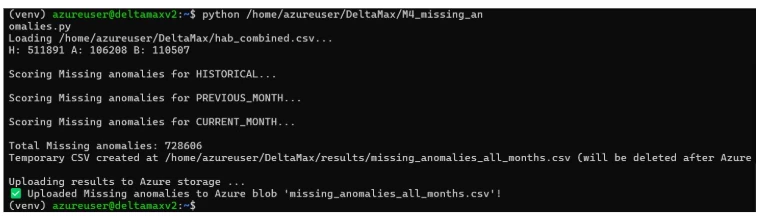
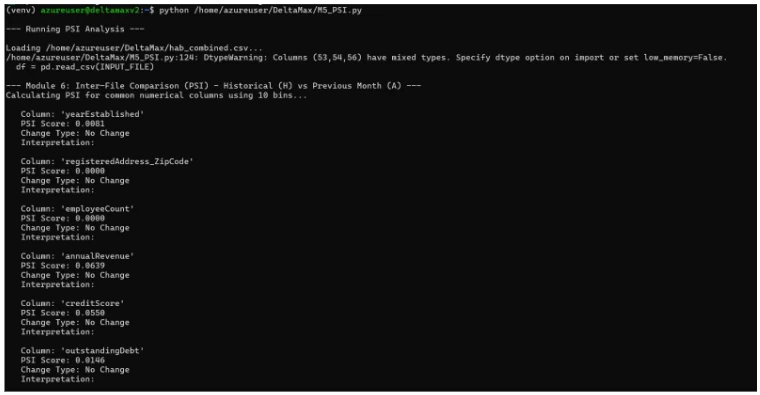
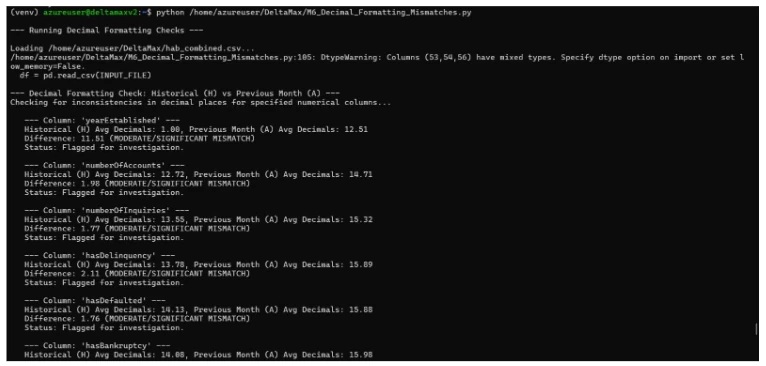
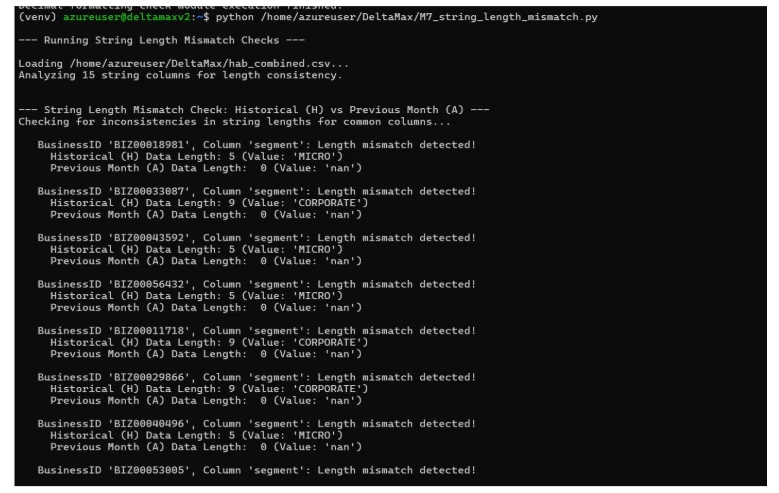
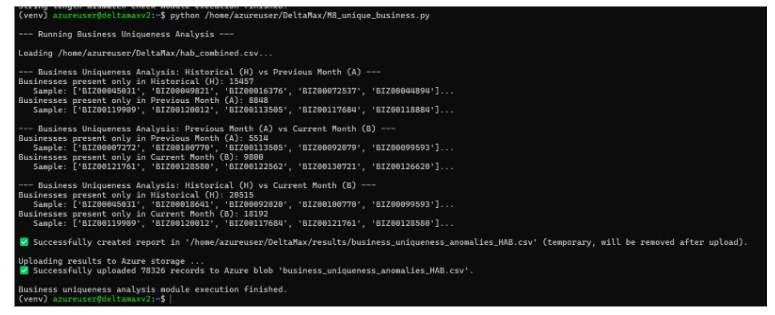
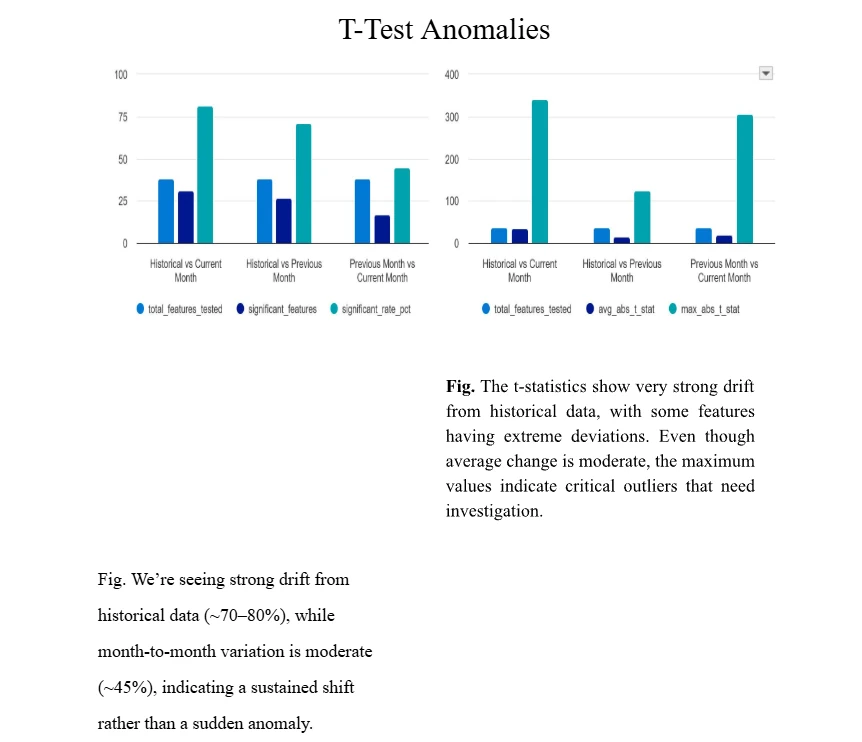
- Data quality checks — Isolation Forest & IQR anomaly detection (M1) · variance drift analysis (M2) · Welch's T-test drift detection (M3) · missing-value anomaly detection (M4) · PSI analysis (M5) · decimal formatting mismatches (M6) · string length anomalies (M7) · unique business integrity (M8).
- Azure integration — outputs automatically upload to Blob Storage containers and load into Synapse tables, with automatic container/table creation.
- Visualization & agentic intelligence — dashboards through Azure Analytic Studio and Power BI; Katalyst Street can tailor dashboards and reporting to your environment.
Azure reference architecture
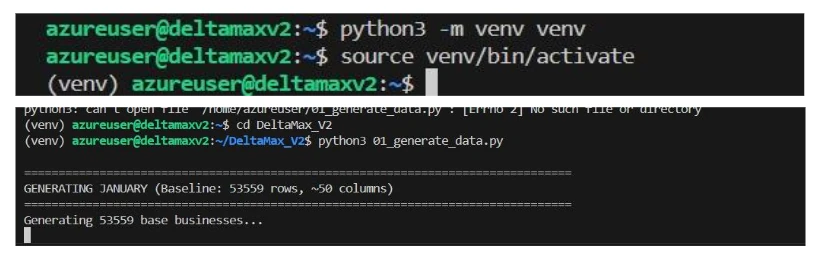
Azure V2 walkthrough
DeltaMax, answered
What exactly is DeltaMax, and what problem does it solve?
How do I deploy and run DeltaMax in my cloud environment?
What specific data quality checks does DeltaMax perform?
- Anomaly detection — statistical (IQR) and machine learning (Isolation Forest) methods
- Statistical drift — Population Stability Index (PSI) between datasets
- Comparative analysis — T-tests for statistically significant mean changes
- Data integrity — data type mismatches, decimal formatting, string length changes
- Business logic — new or churned entities appearing in only one period's dataset
I don't have my own data to start with. Can I still test DeltaMax?
DeltaMax_synthetic_data_generator.py creates synthetic datasets, including one with injected anomalies, so you can run the entire pipeline and understand its outputs without touching production data.How does DeltaMax integrate with the rest of the cloud ecosystem?
What support and customization options are available?
Deploy it in your cloud today
☁️ Google Cloud Marketplace
Purchased and billed directly through your existing GCP billing account — no new vendor contracts.
⛅ Microsoft Azure
DeltaMax V2.0 deploys with Azure-native services — Blob Storage, Synapse Analytics, and Power BI. Contact us for Azure deployment.
📄 Technical documentation & live product site
Full technical documentation, EULA, support, and the product blog are maintained on the DeltaMax product site.